

What Is Agile CRM Used For: Features, Reviews & Alternatives
All-in-one CRM with sales, marketing, service automation.
Editorially updated Oct 5, 2025
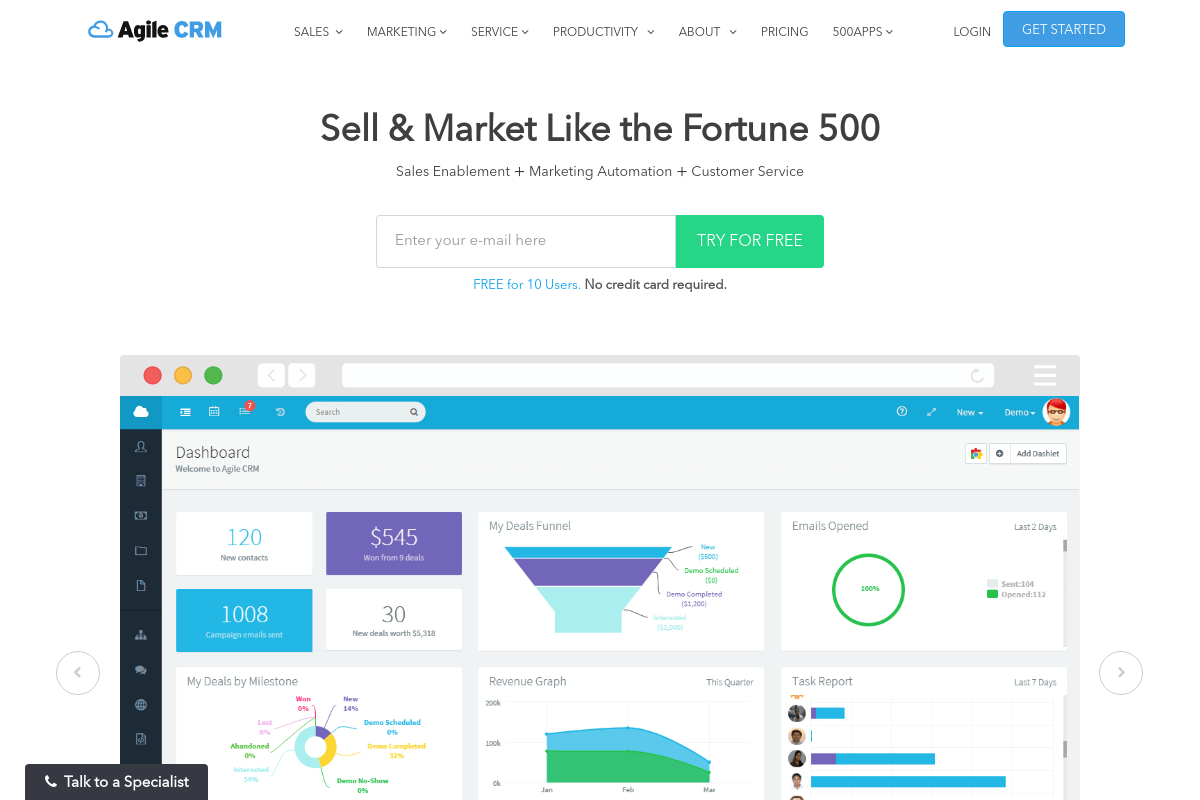
The overview
What Agile CRM is for
1Core Capabilitie
- Contact record detail view with activity timeline
- Sales pipeline stage editor and deal card management
- Drag-and-drop email template designer
- Support ticket queue panel with status filter
- Lead scoring criteria configuration interface
2Specialized Workflow
- Automated journey builder for multi-channel campaign
- Web form and landing page visual editor
- Knowledge base article authoring interface
- Custom report builder with drill-down capabilitie
- Integrated calendar and appointment booking widget
Who it helps
Useful ways to use Agile CRM
A practical path
Onboard a New Lead and Assign to a Sales Sequence
Navigate to the 'Contacts' module, click 'Add Contact', input lead details, then select 'Add to Campaign' from the contact profile to enroll them in a pre-configured sales outreach sequence. Monitor their engagement directly from their contact record
External signals
Reviews & reputation
Aggregated review score
Users frequently praise Agile CRM for its comprehensive feature set, particularly the integration of sales, marketing, and service tools into a single platform. The marketing automation capabilities and visual campaign builder receive positive mentions for their flexibility. Some feedback points to a learning curve for new users due to the breadth of features and occasional interface complexities, though support is generally rated as responsive.
Quick answers
Frequently asked questions
1What are the options for migrating existing customer data into Agile CRM?⌄
Agile CRM supports data import via CSV files for contacts, companies, and deals. For larger datasets or complex structures, direct API integration is available, and professional services can assist with custom migration projects from other CRM platforms.
2Does Agile CRM support custom objects or only standard contact/company records?⌄
While Agile CRM primarily uses standard contact, company, and deal objects, it offers extensive custom field capabilities for these entities. For truly unique data structures requiring separate objects, API-level customization or third-party integration might be necessary.
3Can I manage my sales pipeline and customer service tickets from a mobile device?⌄
Yes, Agile CRM provides dedicated mobile applications for both iOS and Android devices. These apps allow users to manage contacts, update deal stages, respond to service tickets, and access key reports while on the go, ensuring continuity of operations outside the desktop browser.
4How does Agile CRM ensure the security and privacy of sensitive customer data?⌄
Agile CRM employs industry-standard security protocols including SSL/TLS encryption for data in transit, AES-256 encryption for data at rest, and regular security audits. Access controls are granular, allowing administrators to define user permissions based on roles, and the platform is GDPR compliant.
5What third-party integrations are available, particularly for accounting or ERP systems?⌄
Agile CRM offers a wide range of integrations with popular business tools, including email providers (Gmail, Outlook), social media platforms, telephony systems, and marketing tools. For accounting or ERP systems, direct integrations are available for platforms like QuickBooks and Xero, with an open API for custom connections to other enterprise software.
Keep exploring