

What Is Brandfolder Used For: Features, Reviews & Alternatives
Leading DAM platform for brands.
Editorially updated Oct 25, 2025
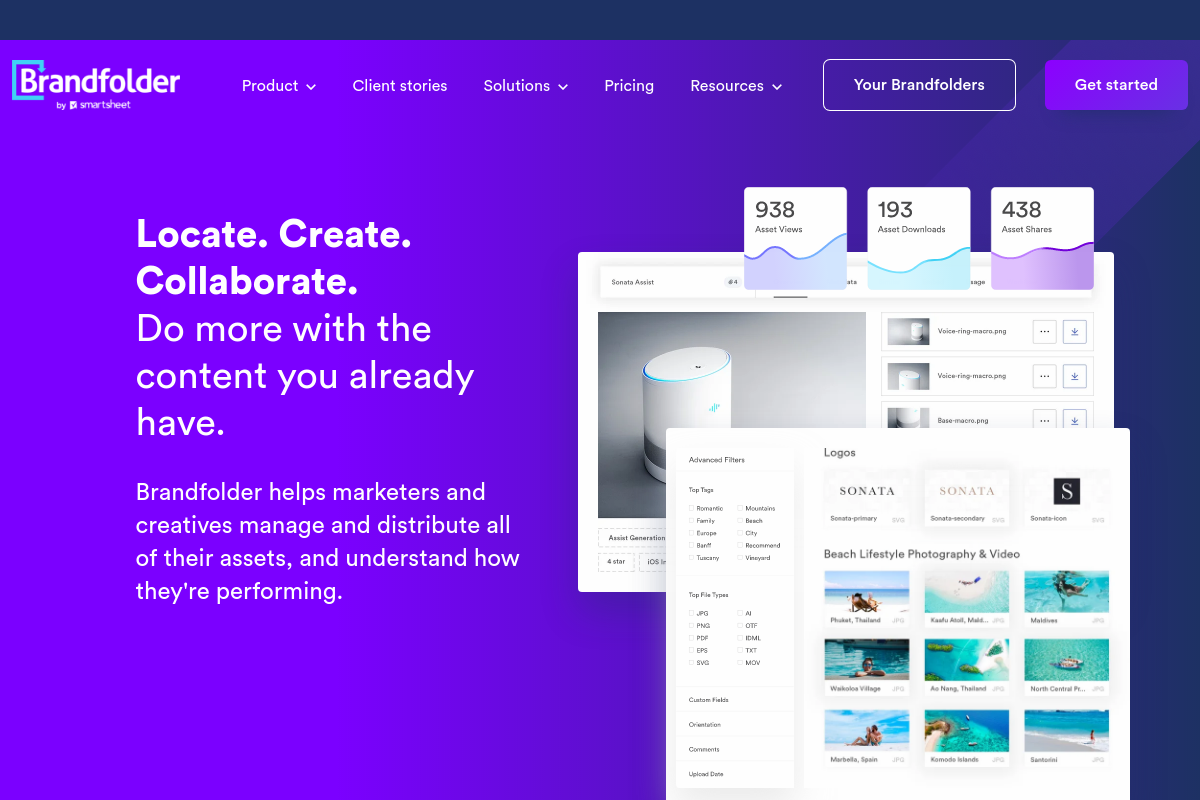
The overview
What Brandfolder is for
1Core Capabilities
- Collections, sections, and labels for campaign, retailer, or region-specific asset libraries
- Controlled metadata fields with auto-tagging and in-document search
- Version history with restore for updated files and attachments
- Public or private share links with expiration dates and user-level permissions
- Template-based cropping, resizing, and reformatting for channel-ready exports
Who it helps
Useful ways to use Brandfolder
A practical path
Go straight to the relevant asset library
Open the Brandfolder or shared collection tied to your campaign, product line, or partner use case. Use search, tags, file type filters, and sections to narrow the asset grid fast instead of hunting through mixed creative files.
External signals
Reviews & reputation
Aggregated review score
Brandfolder can deliver reliable outcomes for workflow completion, especially when rollout begins with a pilot focused on leading.
Quick answers
Frequently asked questions
1When does Brandfolder make more sense than a shared drive or generic cloud storage?⌄
Brandfolder is usually the better fit when a team needs approved logos, campaign files, product visuals, and usage-ready derivatives to stay organized by brand rules rather than just folders. If your main problem is version confusion, off-brand asset reuse, or constant requests for the latest file, a DAM can make sense. If you mainly need simple internal storage with light metadata needs, it may be more system than you need.
2How is Brandfolder typically priced, and what should buyers confirm early?⌄
Pricing may be quote-based rather than a simple self-serve plan, so it is worth confirming contract minimums, storage limits, user types, admin seats, guest access, and any fees tied to portals, add-ons, or implementation. For smaller teams, the key question is whether the governance and distribution features justify the overhead compared with lighter DAM options.
3Can Brandfolder handle granular permissions for agencies, distributors, or regional teams?⌄
It likely supports structured access better than a basic file repository, but the exact depth can vary by setup and plan. Teams with strict distribution rules should verify role scopes, collection-level access, external sharing controls, download restrictions, approval steps, and whether different audiences can see different renditions or asset sets without manual workarounds.
4Will it fit into an existing creative and content stack?⌄
That depends on the current connector set and how your team publishes assets. Buyers should check the specific integrations they rely on, such as Adobe tools, CMS platforms, ecommerce systems, or marketing workflows, and confirm whether metadata, tags, and approved renditions stay intact across syncs. A good test is whether the DAM reduces duplicate uploads instead of creating another library to maintain.
5What should a security or legal team ask before adoption?⌄
For branded content at scale, the important checks are usually SSO support, audit history, asset-level access records, retention settings, link controls, and how expired or replaced assets are handled. If your team has regional privacy requirements or strict rights management needs, confirm those details directly instead of assuming standard enterprise coverage.
6Where are Brandfolder's boundaries compared with other DAM tools?⌄
It appears better suited to managing approved brand assets and controlled distribution than to full creative production, raw media post workflows, or lightweight file sharing. Teams working mostly with finished marketing assets may get value faster, while teams centered on video editing pipelines, heavy production review, or simple ad hoc sharing should compare it against tools built for those narrower jobs.
Keep exploring