

What Is Casetext Used For: Features, Reviews & Alternatives
AI-powered legal research technology.
Editorially updated Oct 25, 2025
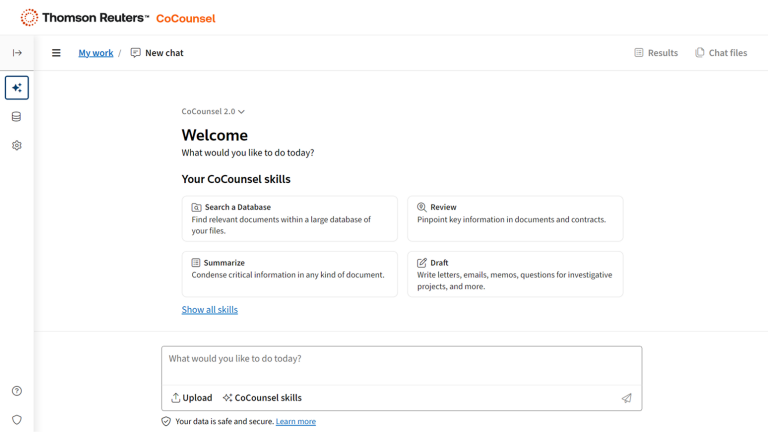
The overview
What Casetext is for
1Core Capabilities
- Parallel Search for concept-based case law from plain-English queries
- CARA document upload to pull fact-matched authorities from a draft
- Brief cite-check for negative treatment and omitted authorities
- SmartCite citator with citing cases and citing briefs
- Similar Issues lookup from a selected passage in an opinion
Who it helps
Useful ways to use Casetext
A practical path
Search from the actual issue
Open Casetext and start with the legal question you need to answer now: paste a fact pattern, a draft argument, or a disputed clause into the main research search. Use plain legal language the way you would frame the issue for a motion, memo, or client note rather than typing only a few keywords.
External signals
Reviews & reputation
Aggregated review score
Confidence in Casetext improves once teams validate case eligibility and required paperwork against real production paths and monitor drift over the first rollout cycle.
Quick answers
Frequently asked questions
1I need a first-pass research memo on a motion issue and I still plan to read every cited case. Is Casetext a good fit?⌄
Usually yes. It suits lawyers, clerks, and in-house teams that want faster issue spotting, case retrieval, and draft analysis, but still confirm holdings, procedural posture, and jurisdiction before relying on the result. It is less suitable if you want a tool to stand in for a trained reader of the record or to make the final call on whether an authority is still good law.
2I am trying to handle a dispute mostly on my own. Where does Casetext stop being self-serve?⌄
It can help surface cases, summarize documents, and point you toward questions to investigate, but it should not be the only basis for filing decisions or legal advice. Once the task involves deadlines, privilege, sanctions exposure, local rules, settlement leverage, or strategy specific to your facts, you are past the safe self-serve zone and should involve licensed counsel.
3My matter file is mostly scanned PDFs, messy exhibits, and OCR that is not clean. How much does that limit the result?⌄
A lot. Research and document analysis tools tend to perform better on searchable text than on crooked scans, missing pages, handwritten notes, or bad OCR. If your production set is messy, expect to clean files, check cited pages manually, and treat any extracted dates, quotes, or issue tags as tentative until a human verifies them.
4Can I upload client briefs, contracts, or discovery without giving away confidentiality?⌄
Current Thomson Reuters materials say customer prompts and uploaded content are not used to train third-party AI models, and they describe encryption plus organization-level retention settings. That still does not answer every ethics question for every matter. Before uploading live files, confirm your firm's retention terms, hosting region, privilege rules, and whether your engagement terms allow third-party cloud processing.
5We draft in Word and keep precedents in SharePoint or iManage. Will Casetext fit that stack?⌄
It may, especially if you are buying the newer CoCounsel-branded version rather than assuming the older standalone Casetext setup. Recent product materials reference Microsoft Word or Microsoft 365 and repositories such as SharePoint, OneDrive, NetDocuments, iManage, and HighQ. The practical question is not just whether a connector exists, but whether your plan includes it and whether your admin team can scope access the way your matters require.
6How is Casetext usually sold and priced now?⌄
Pricing may not be fully self-serve. Depending on the package, you may be pushed toward a demo, trial, or rep-led quote instead of a simple monthly checkout. Ask for a written breakdown of seat counts, research access, document analysis limits, and any separate charge for linked Thomson Reuters content so the cost is clear before rollout.
Keep exploring