

What Is Classic Reload Used For: Features, Reviews & Alternatives
Play classic DOS games in your browser.
Editorially updated Oct 25, 2025
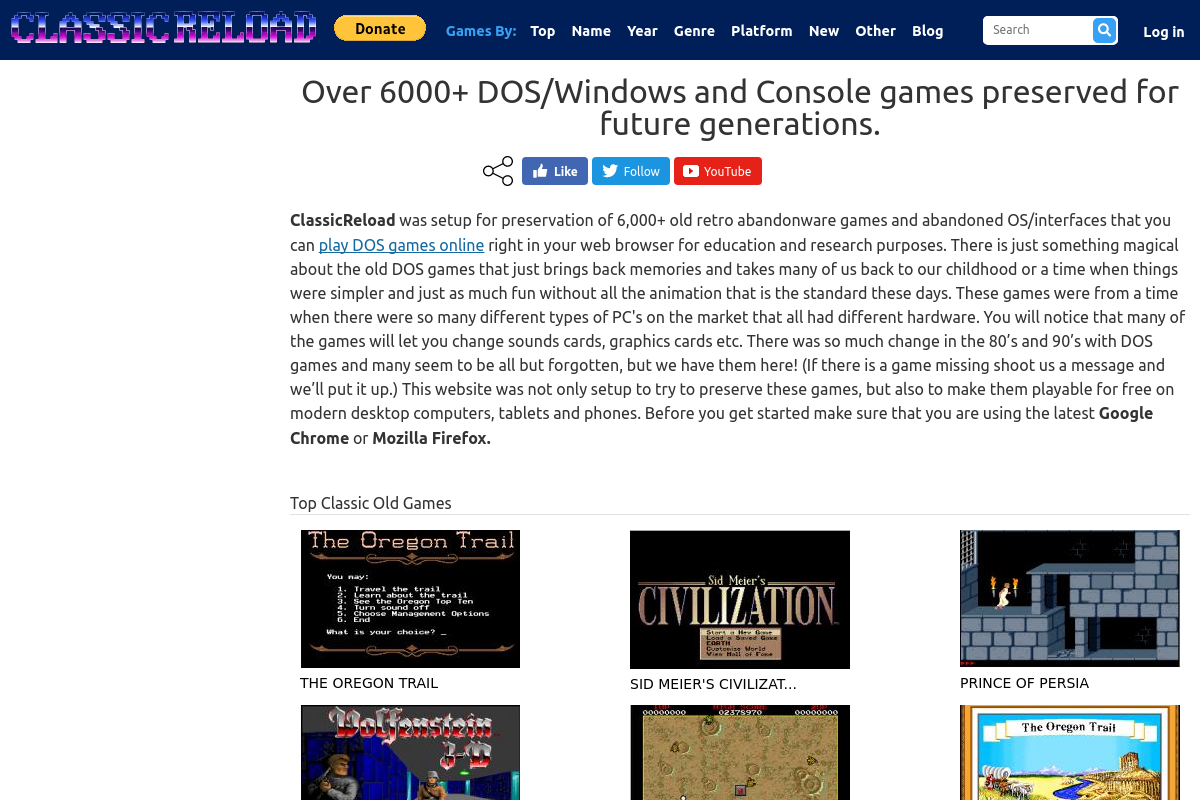
The overview
What Classic Reload is for
1Core Capabilities
- Launch classic DOS games directly in a web browser instead of configuring a local emulator first
- Browse a retro catalog through title pages that let you move from discovery to play in one place
- Use standard PC-style input expectations, making it easier to test whether a game feels right within minutes
- Return for short replay sessions without reassembling old files, patches, or machine-specific DOS settings
Who it helps
Useful ways to use Classic Reload
A practical path
Pick a specific DOS title
Start with a game you already recognize or want to research, since retro sessions are easier to judge when you know the genre, era, or series context.
External signals
Reviews & reputation
Aggregated review score
Classic Reload performs best when teams prioritize lesson sequencing, conceptual clarity, and learner progression and keep ownership explicit around progress tracking and revision cadence.
Quick answers
Frequently asked questions
1Who is Classic Reload a good fit for?⌄
It fits players who want immediate browser access to DOS games, especially for short replay sessions, curiosity-driven sampling, or fast comparisons across older PC titles.
2When is Classic Reload not the right tool?⌄
If you need deep emulator tuning, mod support, original file management, or a long-term archival setup, a local emulator workflow will usually make more sense.
3Does it replace a dedicated retro PC setup?⌄
Not fully. It covers the quick-play niche well, but dedicated setups are still better when you need precise configuration, broader compatibility work, or more control over the environment.
4What should I check on first use?⌄
Focus on whether the game launches cleanly, whether controls respond as expected, and whether the screen remains readable enough for actual play rather than a brief novelty test.
5Is this mainly for experts in retro PC gaming?⌄
No. It can also work for newcomers because the browser format lowers the barrier to entry, though some DOS-era interfaces may still feel demanding if you are used to modern games.
Keep exploring