

What Is CoSchedule Used For: Features, Reviews & Alternatives
Marketing calendar & content organization tool.
Editorially updated Oct 25, 2025
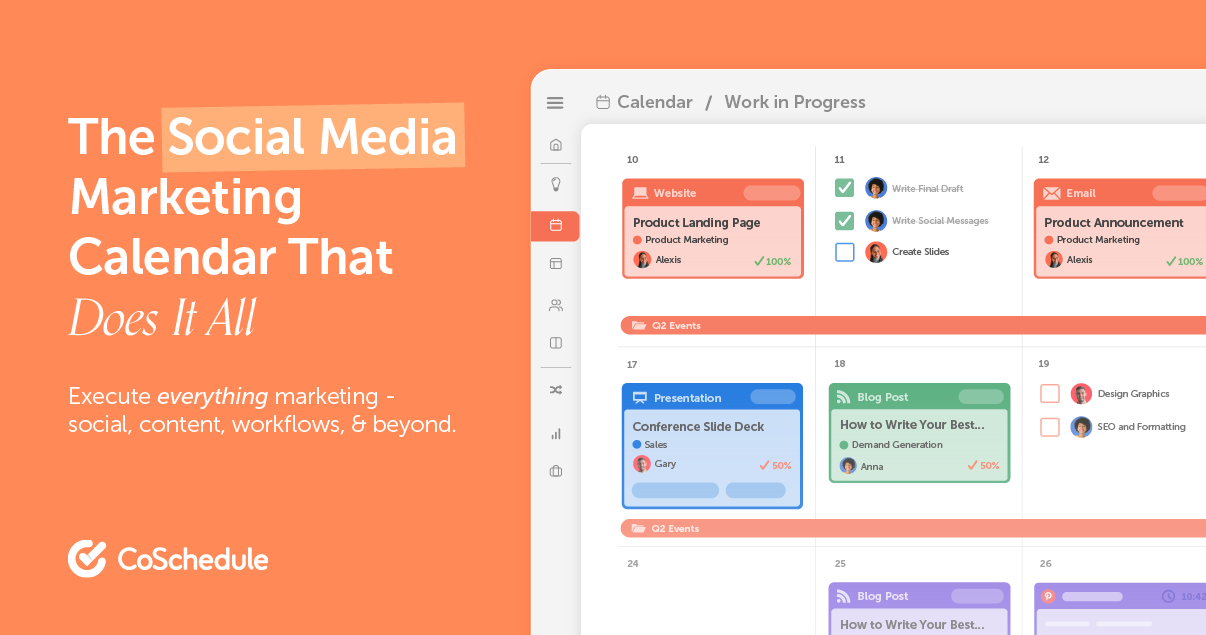
The overview
What CoSchedule is for
1Core Capabilitie
- Visual Marketing Calendar Interface
- Content Project Dashboard
- Task Management for Content Piece
- Social Media Scheduling Panel
- Headline Analyzer Tool
- Content Asset Repository
2Specialized Workflow
- Content Approval Workflow Engine
- WordPress Publishing Integration
- ReQueue Automated Social Scheduling
- Marketing Project Template Library
- Content Performance Tracking Dashboard
- Team Collaboration & Commenting Thread
Who it helps
Useful ways to use CoSchedule
A practical path
Schedule a New Content Project
Log into the web application, navigate to the Marketing Calendar view, and click on a specific date to add a new content project. Select the appropriate content type, such as 'Blog Post' or 'Social Campaign'
External signals
Reviews & reputation
Aggregated review score
Users value CoSchedule's comprehensive marketing calendar for centralizing content planning and scheduling, particularly its visual interface and robust social media integration. Many highlight its effectiveness in streamlining editorial workflows and improving team coordination. Some note a learning curve for advanced features and express a desire for more granular, in-platform content performance analytics.
Quick answers
Frequently asked questions
1What are the different subscription tiers and what features are included in each?⌄
CoSchedule offers various plans, typically starting with a 'Marketing Calendar' tier focused on basic scheduling and task management, scaling up to 'Marketing Suite' for advanced features like content optimization, team workflows, and comprehensive analytics. Specific feature sets, user limits, and integrations vary significantly by tier, so reviewing the detailed pricing page is essential for feature comparison.
2Which content platforms and social networks does CoSchedule integrate with for direct publishing?⌄
CoSchedule integrates directly with popular platforms such as WordPress for blog publishing, and major social media networks including Facebook, Twitter, LinkedIn, Instagram, and Pinterest for scheduling and distribution. It also offers integrations with email marketing services and other marketing tools, streamlining the content distribution process from a single interface.
3How does CoSchedule facilitate content approvals and feedback loops for multiple team members?⌄
The platform includes built-in content approval workflows, allowing content managers to define stages (e.g., Draft, Review, Approved) and assign specific team members for each stage. Reviewers can leave comments directly on content drafts, request revisions, and mark content as approved, ensuring all stakeholders provide feedback and sign-off within the system.
4Can CoSchedule manage content beyond blog posts, like podcasts, videos, or email newsletters?⌄
Yes, CoSchedule is designed to be content-agnostic. While commonly used for blog posts and social media, it supports custom content types, allowing teams to create projects for podcasts, video scripts, email newsletters, landing pages, and even offline marketing materials. This flexibility ensures all marketing initiatives can be tracked and managed within the same calendar.
5Is it possible to export my content calendar data or performance reports for external analysis?⌄
Yes, CoSchedule typically provides options to export calendar data, task lists, and various performance reports in formats like CSV or PDF. This allows users to conduct further analysis in external tools, share data with stakeholders who don't have platform access, or maintain offline records of their content strategy and outcomes.
Keep exploring