
What Is DeepArt Used For: Features, Reviews & Alternatives
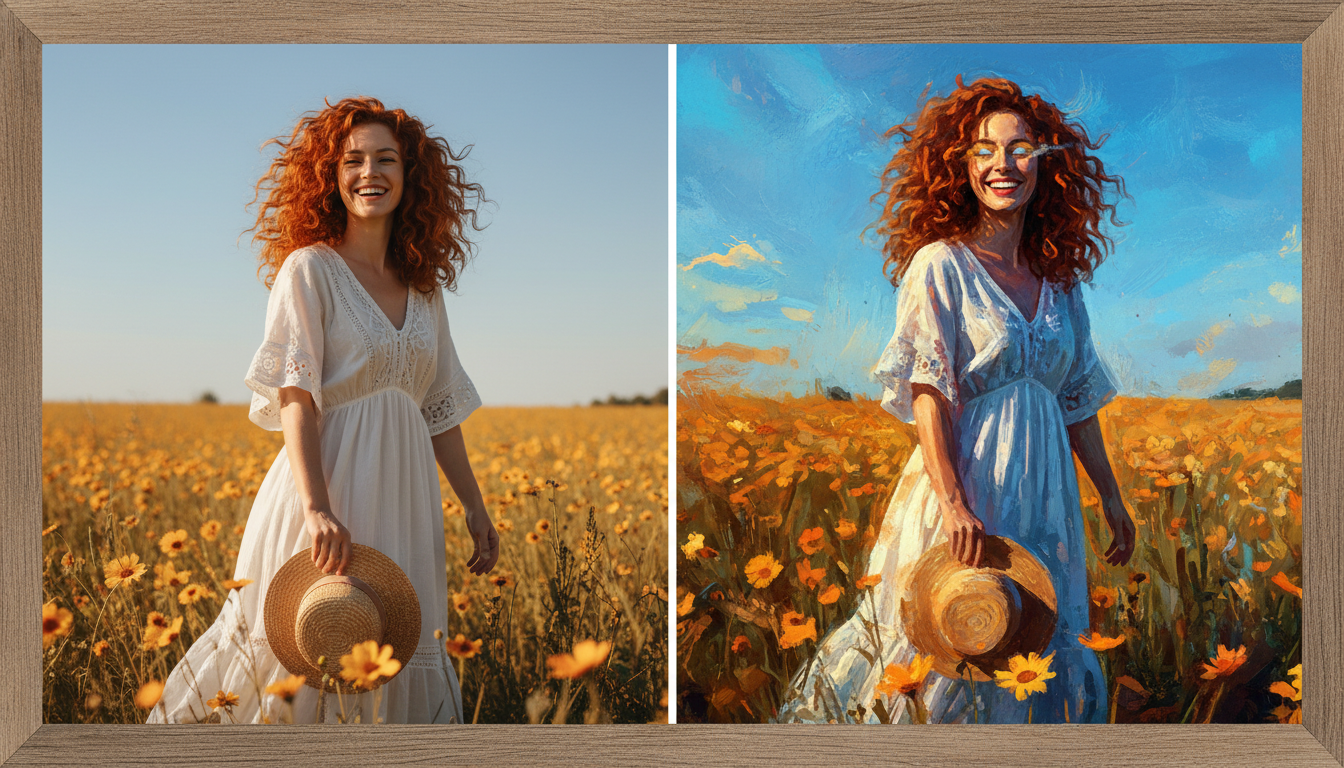
Platform using neural style transfer to apply artistic styles to images.
Editorially updated Oct 5, 2025
The overview
What DeepArt is for
1Core Capabilitie
- Source Image Upload Interface
- Curated Style Image Library & Custom Upload
- Neural Style Transfer Inference Engine
- Output Resolution & Format Selector
2Specialized Workflow
- Iterative Style Blending Panel
- Batch Processing Queue
- Generated Image Gallery with Download Option
- Direct Social Sharing Integration
Who it helps
Useful ways to use DeepArt
A practical path
Initiate Style Transfer Session
Navigate to the homepage, upload your primary content image via the designated input field, and then select a desired style from the curated library or upload your own style reference image
External signals
Reviews & reputation
Aggregated review score
Users praise DeepArt for its intuitive web interface and diverse style library, enabling quick artistic transformations. Some feedback points to occasional processing delays during peak times and a desire for more granular control over advanced style blending parameters.
Quick answers
Frequently asked questions
1What are the computational costs associated with higher resolution style transfers?⌄
Higher resolution outputs demand significantly more GPU memory and processing time on our backend. Users on free tiers may experience longer queue times or be limited to lower resolutions. Premium subscriptions typically offer priority processing and access to higher output dimensions, reflecting the increased resource allocation.
2How does DeepArt handle intellectual property for uploaded content and generated styles?⌄
Users retain full ownership of their uploaded content images. For style images, if you upload your own, you assert necessary rights. Generated outputs are typically owned by the user, but DeepArt reserves rights to use anonymized data for model improvement. It's crucial to ensure you have rights to both content and style images to avoid IP infringement, especially for commercial use.
3Can DeepArt be used to generate deepfake-like content by transferring facial features?⌄
DeepArt is specifically designed for neural *style transfer*, applying artistic textures and patterns, not for generating photorealistic synthetic media of individuals or altering facial identities. While it uses similar underlying neural network principles, its architecture and training data are optimized for artistic stylization, not deepfake synthesis or identity manipulation.
4What are the typical inference times for a standard image, and can I monitor progress?⌄
Inference times vary based on image resolution, selected style complexity, and current server load. A typical 1024x1024 image might take 15-60 seconds. The web interface usually provides a progress indicator or places your job in a queue, notifying you upon completion. Premium users often benefit from faster processing queues.
5Are there any ethical guidelines or content restrictions for images uploaded to DeepArt?⌄
Yes, DeepArt prohibits the upload of illegal, harmful, explicit, or abusive content. Our automated moderation systems flag and remove such material. Users are expected to adhere to community guidelines, and misuse can lead to account suspension. The platform is intended for creative and artistic expression, not for generating offensive or deceptive content.
Keep exploring