

What Is DeepDetect Used For: Features, Reviews & Alternatives
Open-source deep learning server and API for vision/NLP tasks.
Editorially updated Oct 5, 2025
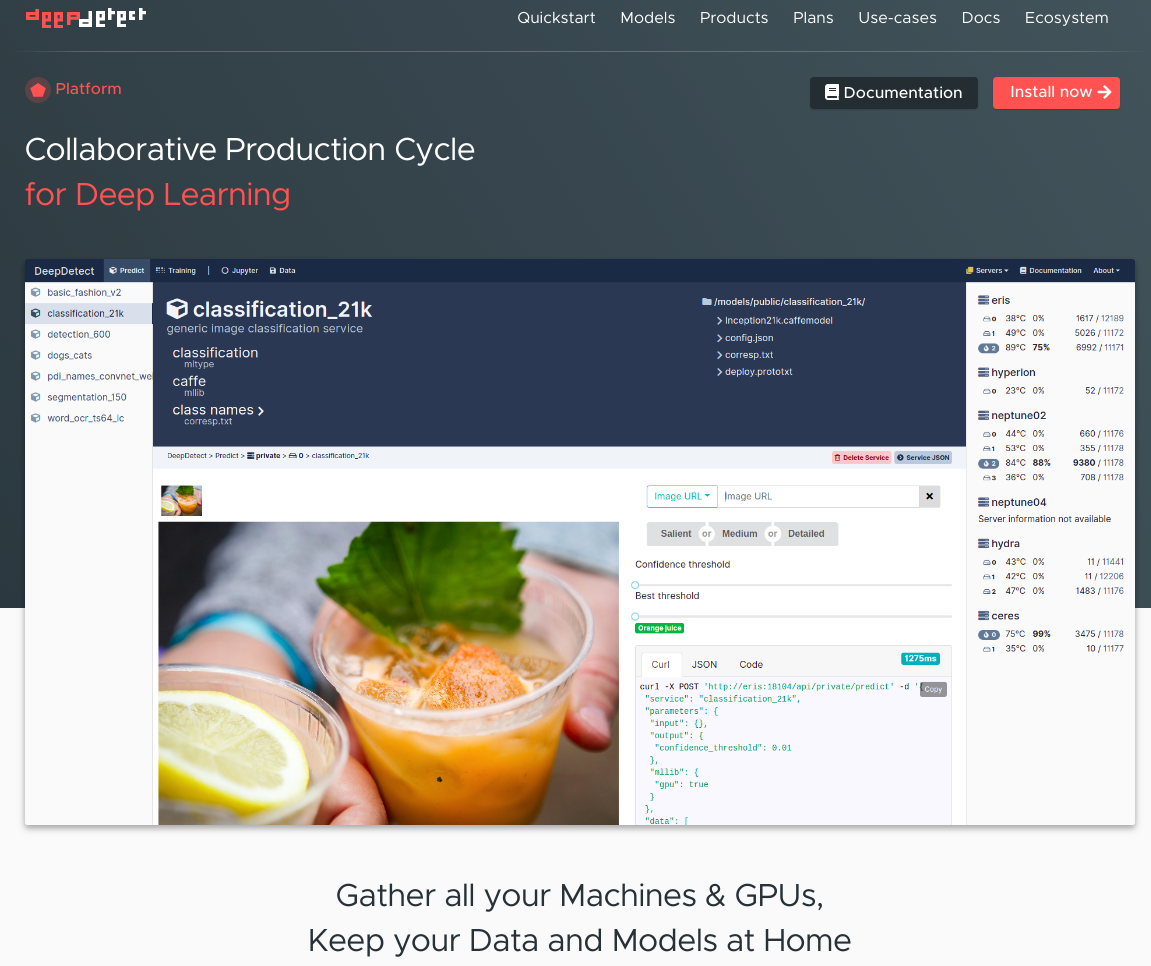
The overview
What DeepDetect is for
1Core Capabilitie
- Model deployment dashboard for vision/NLP architecture
- Real-time inference endpoint configuration
- Dataset upload and management interface for fine-tuning
- API key generation and access control panel
- Pre-trained model catalog for common CV/NLP task
2Specialized Workflow
- Live prediction viewer with bounding box/segmentation overlay
- Inference latency and throughput monitoring graph
- Model versioning and rollback management
- Batch inference job submission and status tracking
- Export of inference logs and performance metric
Who it helps
Useful ways to use DeepDetect
A practical path
Deploy a Vision Model Endpoint
Navigate to the 'Models' section in the web UI, click 'Add New Model,' upload your pre-trained model artifact (e.g., ONNX, TensorFlow SavedModel), specify the input/output schema for image classification or object detection, and configure the inference endpoint
External signals
Reviews & reputation
Aggregated review score
DeepDetect is highly valued by ML engineers for its robust, browser-accessible interface for deploying and managing custom computer vision and NLP models. Users appreciate its flexibility for production inference and the control it offers over model lifecycle, though some note the initial setup complexity for self-hosted instances.
Quick answers
Frequently asked questions
1Can I deploy custom deep learning models trained with frameworks other than TensorFlow or PyTorch?⌄
Yes, DeepDetect supports models in various formats, including ONNX, which allows for framework-agnostic deployment. You can convert models from PyTorch, TensorFlow, Keras, or other frameworks to ONNX and then upload them via the web interface for inference.
2How does DeepDetect handle data privacy and security for uploaded datasets and inference requests?⌄
As an open-source server, DeepDetect is typically deployed within your own infrastructure, giving you full control over data residency and security protocols. The web interface communicates with your deployed instance, meaning data does not leave your controlled environment unless explicitly configured to do so.
3What are the typical hardware requirements for running DeepDetect for computer vision tasks?⌄
For efficient computer vision inference, GPU acceleration is highly recommended. The specific requirements depend on your model complexity, desired throughput, and latency. A server with at least one NVIDIA GPU (e.g., V100, A100) and sufficient VRAM (16GB+) is a common starting point for production workloads.
4Is there a way to integrate DeepDetect's inference capabilities into existing web applications without writing custom API wrappers?⌄
DeepDetect provides a well-documented RESTful API. While direct integration requires calling these endpoints, the web interface allows you to generate API keys and provides example curl commands or Python snippets, simplifying the process of embedding inference calls into your applications.
5How does DeepDetect compare to managed cloud AI services like AWS Rekognition or Google Vision AI?⌄
DeepDetect offers greater flexibility and control over model deployment, custom architectures, and data privacy, as it runs on your infrastructure. Unlike managed services that provide pre-trained, black-box APIs, DeepDetect allows you to deploy your specific models, fine-tune them, and manage the underlying resources, making it suitable for niche or proprietary vision tasks where customization and cost control are paramount.
Keep exploring