

What Is Descript Used For: Features, Reviews & Alternatives
All-in-one audio/video editing with AI voices
Editorially updated Oct 5, 2025
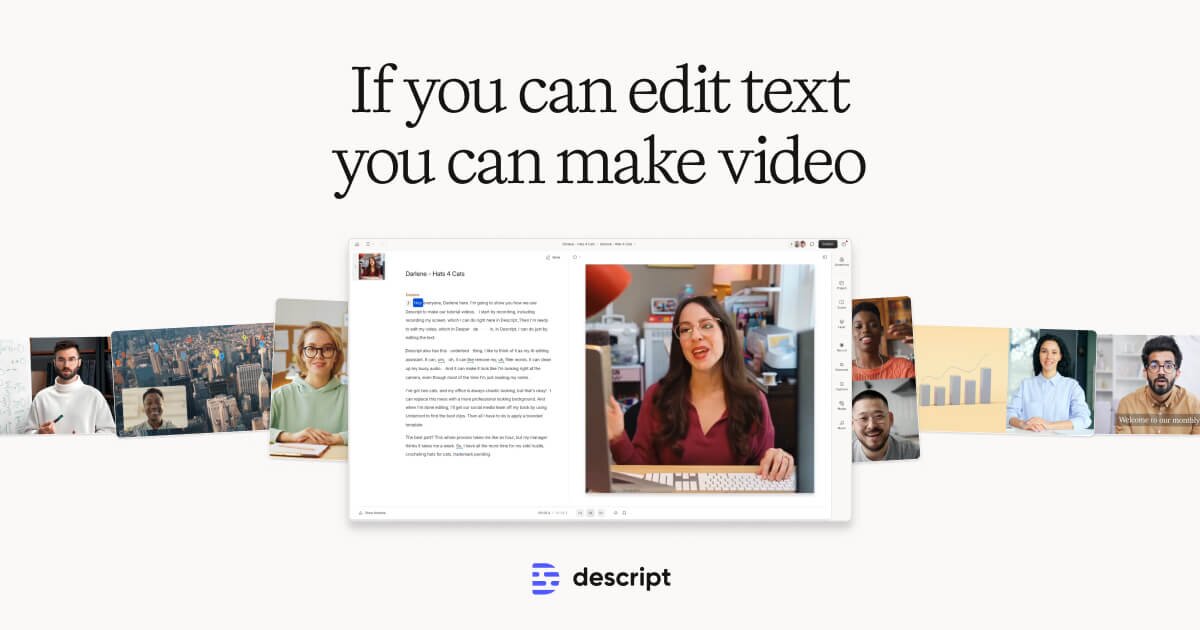
The overview
What Descript is for
1Core Capabilitie
- Text-based media editor interface
- Automated speech-to-text transcription
- Overdub voice cloning and generation
- Studio Sound AI audio enhancement
- Filler word and silence removal
2Specialized Workflow
- AI voice library and selection panel
- Speaker identification and labeling
- Integrated screen and webcam recorder
- Direct web publishing and embed option
- Project version history and rollback
Who it helps
Useful ways to use Descript
A practical path
Initiate a New Project in the Web Editor
Navigate to the web application, sign in, and click "New Project." Choose to upload existing audio/video files, import a transcript, or start a new screen recording directly within the browser
External signals
Reviews & reputation
Aggregated review score
Descript excels in its text-based editing paradigm, significantly accelerating content creation for spoken-word media. The Overdub AI voice generation is a standout feature, offering impressive voice cloning and synthetic speech capabilities that are highly valued for rapid prototyping and consistent branding. Users appreciate the integrated transcription and Studio Sound enhancement. However, some users note a learning curve for advanced features and occasional resource intensity in the browser, alongside the subscription cost for full AI functionality.
Quick answers
Frequently asked questions
1What are the requirements for creating a custom Overdub voice?⌄
To create a custom Overdub voice, you typically need to record a training dataset of your voice, usually around 10-30 minutes of clear, high-quality audio. This recording is then processed by the AI to generate your unique synthetic voice model.
2Are there limits on the amount of AI voice generation minutes I can use?⌄
Yes, most subscription tiers include a specific allocation of AI voice generation minutes per month. Exceeding these limits usually incurs additional charges or requires an upgrade to a higher plan, so it's important to monitor usage for large projects.
3How does Descript handle the security and privacy of my voice data for cloning?⌄
Descript employs industry-standard security measures to protect your voice data. Your voice model is encrypted and stored securely, and its use is restricted to your account. They also have policies in place to prevent unauthorized cloning or misuse of your voice.
4Can I use the generated AI voices for commercial projects?⌄
Yes, AI voices generated within Descript, including custom Overdub voices, are generally licensed for commercial use, provided you adhere to their terms of service. It's always recommended to review the specific licensing details for your subscription plan.
5How does Descript compare to dedicated text-to-speech APIs for voice generation?⌄
Descript offers an integrated editing environment where AI voice generation is part of a broader audio/video workflow, including transcription and editing. Dedicated text-to-speech APIs typically provide raw voice synthesis without the editing interface, requiring external tools for content creation and integration. Descript is more of an end-to-end content creation platform.
Keep exploring