

What Is Fitbit Used For: Features, Reviews & Alternatives
Fitness trackers and accompanying app/platform.
Editorially updated Oct 25, 2025
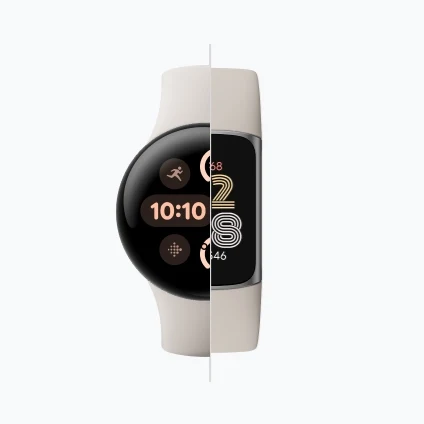
The overview
What Fitbit is for
1Core Capabilitie
- Daily activity summary dashboard (steps, active zone minutes, caloric expenditure)
- Longitudinal data charting for biometric trends (weight, sleep stages, resting heart rate)
- Manual logging interface for untracked workouts or dietary intake
- Wearable device settings panel (alarm schedules, notification preferences, display customization)
- User profile and privacy controls management
2Specialized Workflow
- Premium content library access (guided fitness programs, mindfulness sessions, advanced insights)
- Community challenge enrollment and progress leaderboard
- Detailed food logging and macronutrient tracking interface
- Personal health data export utility (CSV format for external analysis or sharing)
- Device pairing and troubleshooting knowledge base
Who it helps
Useful ways to use Fitbit
A practical path
Accessing Your Personalized Health Dashboard
Navigate to .com and authenticate with your registered account credentials. The primary dashboard will immediately display your current day's key activity metrics, including step count, active zone minutes, and sleep score
External signals
Reviews & reputation
Aggregated review score
Users value the comprehensive data visualization and historical trend analysis available on the web platform, especially for long-term health tracking and device management. Some find the interface less intuitive than the mobile app for daily interactions, but appreciate the detailed insights and export capabilities.
Quick answers
Frequently asked questions
1Can I export my raw activity data for personal analysis or sharing with a healthcare provider?⌄
Yes, the platform supports data export. After logging into fitbit.com, navigate to the "Settings" icon, then select "Data Export." You can specify data types (e.g., activity, sleep, heart rate) and a date range to generate a downloadable CSV file suitable for external analysis.
2Is a Fitbit device mandatory to utilize the website's tracking features, or can I manually log activities?⌄
While the website is optimized for seamless data synchronization with a Fitbit wearable, you retain the ability to manually log certain activities, food intake, and weight directly through the web interface. However, advanced physiological metrics like continuous heart rate or detailed sleep stages necessitate a connected device.
3What are the functional distinctions between the free website access and a Fitbit Premium subscription?⌄
The free web platform offers core data visualization, historical overviews, and device management. Fitbit Premium, accessible via the website, unlocks enhanced features such as personalized insights, guided wellness programs, advanced sleep analysis, stress management tools, and a daily readiness score, providing a more comprehensive health intelligence layer.
4How does the website ensure the privacy and security of my personal health information?⌄
The platform employs robust security protocols, including end-to-end encryption for data in transit and at rest, to safeguard your personal health information. You can granularly manage your privacy settings within your account profile on the website, controlling data sharing preferences and visibility.
5Can I engage with community challenges or connect with friends directly through the website interface?⌄
Yes, the website features a dedicated "Community" section where users can discover and join various fitness challenges, connect with friends, and participate in discussion forums. While some social interactions are more dynamic on the mobile application, the web platform provides a comprehensive overview of your challenge progress and social network.
Keep exploring