

What Is Fotor Used For: Features, Reviews & Alternatives
Online photo editor suite that includes an AI image generator tool.
Editorially updated Oct 5, 2025
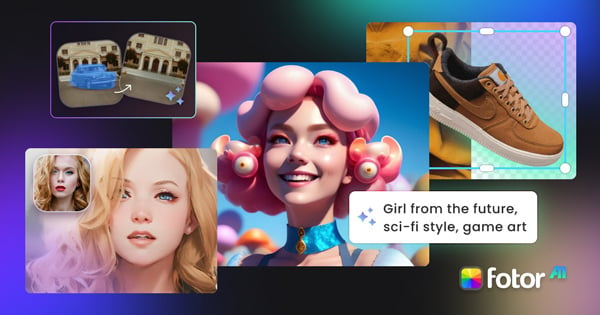
The overview
What Fotor is for
1Core Capabilitie
- Text-to-image prompt input interface
- Image-to-image transformation module
- Pre-defined style transfer presets (e.g., Anime, Photorealistic, Concept Art)
- Output aspect ratio and resolution control
- AI-powered image upscaling and enhancement
2Specialized Workflow
- One-click background removal tool
- Inpainting/outpainting brush for object manipulation
- Batch processing for image adjustment
- Design template library for social media and marketing
- Layer-based editing canvas for composite visual
Who it helps
Useful ways to use Fotor
A practical path
Access the AI Generator Interface
Navigate to the website, locate the 'AI Image Generator' section from the main navigation, and click to load the dedicated browser-based generation canva
External signals
Reviews & reputation
Aggregated review score
Fotor is highly regarded for its accessible, browser-based AI image generation capabilities, seamlessly integrating text-to-image with a robust photo editing suite. Users appreciate the intuitive interface for quick asset creation and the variety of style presets. While effective for general-purpose visual content, some advanced users note that the level of granular control and consistency for highly specific or complex artistic outputs may not match dedicated professional-grade AI art tools.
Quick answers
Frequently asked questions
1What are the daily generation limits for free users compared to premium subscribers?⌄
Free users typically receive a limited number of daily 'credits' for AI image generation, often resetting every 24 hours. Premium subscriptions unlock significantly higher daily credit allowances, faster generation speeds, and access to advanced models or features like higher resolution outputs.
2Can I use the images generated with Fotor's AI commercially without additional licensing or attribution?⌄
For premium subscribers, images generated are generally granted commercial use rights without requiring attribution to Fotor. Free tier usage often comes with more restrictive terms, sometimes requiring attribution or limiting commercial application. Always review the current Terms of Service for specific details.
3Does Fotor support custom model fine-tuning or the integration of LoRA models for specialized outputs?⌄
Currently, Fotor primarily offers a curated selection of pre-trained models and style presets. It does not provide direct user-facing functionality for fine-tuning custom models with personal datasets or integrating external LoRA (Low-Rank Adaptation) models, focusing instead on ease of use with its built-in options.
4What image formats are supported for both input (for image-to-image) and output?⌄
For image-to-image transformations, Fotor typically supports common input formats like JPG, PNG, and WebP. Generated outputs are usually available for download in high-quality JPG or PNG formats, suitable for most web and print applications.
5How effective is Fotor's prompt engineering for generating specific artistic styles or complex scenes?⌄
Fotor's AI models are trained to interpret a wide range of prompts. While it excels at generating diverse styles and concepts, achieving highly specific artistic nuances or intricate scene compositions often requires iterative prompt refinement, leveraging negative prompts, and experimenting with the available style presets to guide the AI effectively.
Keep exploring