

What Is Freshsales (Freshworks) Used For: Features, Reviews & Alternatives
AI-powered sales CRM with context-driven features.
Editorially updated Oct 5, 2025
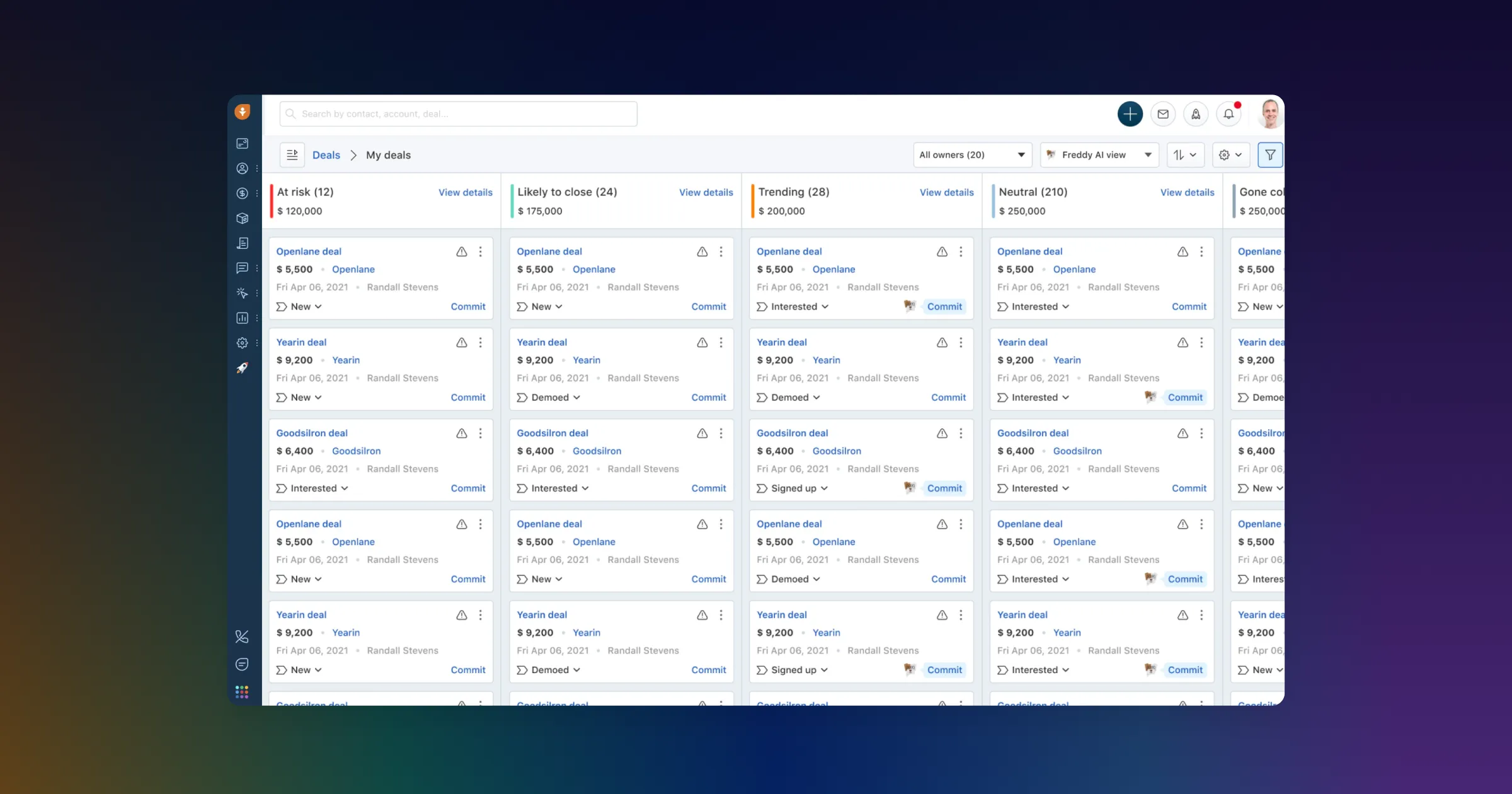
The overview
What Freshsales (Freshworks) is for
1Core Capabilitie
- Unified Contact & Account Record: Centralized view of all customer interactions, communication history, and associated deal
- Customizable Sales Pipeline Editor: Visual drag-and-drop interface for defining and managing deal stages specific to sales processe
- In-app Email & Call Logger: Integrated communication tools for sending emails, making calls, and automatically logging activities against record
- Predictive Lead Scoring Panel: AI-driven prioritization of leads based on engagement and demographic data to focus sales effort
2Specialized Workflow
- Automated Sales Sequence Builder: Configuration of multi-step email, task, and call sequences for consistent prospect engagement
- AI-powered Deal Insights & Next Steps: Contextual recommendations for optimal actions and probability of deal closure based on historical data
- Sales Forecasting Dashboard: Real-time visualization of projected revenue, pipeline health, and team performance metric
- Custom Report Generation Interface: Ad-hoc creation and scheduling of sales performance, activity, and conversion rate report
Who it helps
Useful ways to use Freshsales (Freshworks)
A practical path
Access the Sales Dashboard
Navigate to the Freshsales login URL, enter your credentials, and land on the primary sales dashboard, typically displaying your active deals and pipeline overview
External signals
Reviews & reputation
Aggregated review score
Users frequently praise Freshsales for its intuitive interface, robust AI-driven sales automation features, and competitive pricing, making it a strong choice for SMBs. Some enterprise users note a desire for deeper customization options and broader third-party integrations compared to more established, higher-tier CRM platforms.
Quick answers
Frequently asked questions
1How does Freshsales handle data migration from an existing CRM or spreadsheet?⌄
Freshsales offers an intuitive in-app data import wizard that supports CSV files for contacts, accounts, and deals. For larger or more complex migrations, professional services or API-based integrations are available to ensure a smooth transition.
2Can I customize the sales pipeline stages and deal fields to match my specific sales process?⌄
Yes, administrators can fully customize pipeline stages, add custom fields (e.g., text, number, dropdown, multi-select) to deals, contacts, and accounts, and configure sales process automation rules to align with unique business workflows.
3What kind of AI capabilities are included, and how do they directly assist sales reps?⌄
AI features include predictive lead scoring to prioritize high-potential prospects, deal closure probability estimates, and 'next best action' suggestions based on deal context. These tools help reps focus on high-value activities, improve conversion rates, and optimize their daily workflow.
4Is there a mobile application available for sales reps on the go?⌄
Yes, Freshsales provides dedicated mobile applications for both iOS and Android. These apps allow sales reps to manage contacts, update deal statuses, log calls, access customer data, and perform key CRM functions directly from their smartphones or tablets, ensuring productivity outside the office.
5What are the typical integration options for Freshsales with other business tools?⌄
Freshsales offers native integrations with other Freshworks products (e.g., Freshdesk, Freshchat) and popular business tools like Microsoft Outlook, Google Workspace, Zoom, and various marketing automation platforms. It also provides an open API for custom integrations with proprietary systems.
Keep exploring