

What Is GoGuardian Used For: Features, Reviews & Alternatives
K-12 tools for classroom management/safety.
Editorially updated Oct 5, 2025
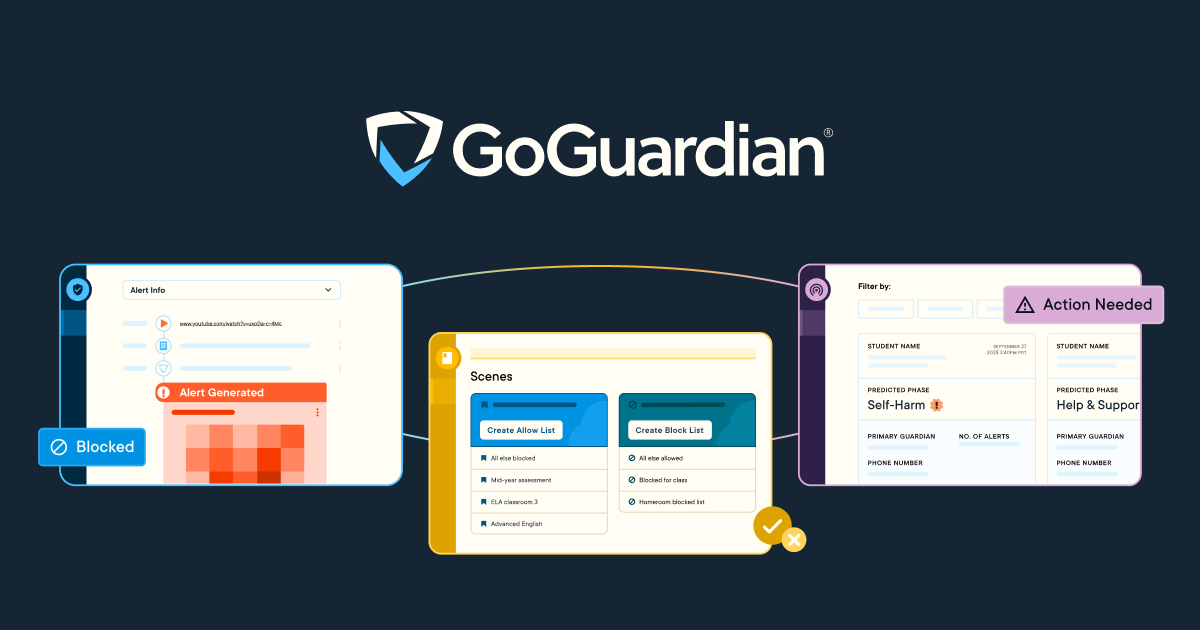
The overview
What GoGuardian is for
1Core Capabilitie
- Student screen monitoring dashboard
- Website content filtering rules engine
- Real-time student activity alert
- Device usage reporting interface
2Specialized Workflow
- Classroom session initiation panel
- Tab management and push URL control
- Keyword-based safety alert configuration
- Scheduled device policy application
Who it helps
Useful ways to use GoGuardian
A practical path
Initiate a Classroom Session
From the Teacher web dashboard, select your class and click 'Start Class' to begin monitoring student devices for the scheduled period
External signals
Reviews & reputation
Aggregated review score
Educators and IT administrators praise GoGuardian for its robust classroom management features, effective content filtering, and critical student safety alerts, particularly for Chromebook environments. While highly valued for maintaining focus and security, some users note occasional performance issues or a steep learning curve for advanced configurations.
Quick answers
Frequently asked questions
1What devices are compatible with GoGuardian's classroom management features?⌄
GoGuardian Teacher primarily supports school-issued Chromebooks. While some monitoring features may extend to other devices via specific browser extensions, the full suite of classroom management and intervention tools is optimized for Chrome OS devices within a managed Google Workspace for Education environment.
2How does GoGuardian handle student data privacy and CIPA compliance?⌄
GoGuardian is designed with student data privacy as a core principle, adhering to CIPA, FERPA, and COPPA regulations. All student data is encrypted in transit and at rest, and the platform provides granular controls for data retention and access, ensuring schools maintain compliance and protect student information.
3Can GoGuardian filter content outside of school hours or off-campus?⌄
Yes, GoGuardian Admin's content filtering and safety monitoring capabilities extend to school-issued devices regardless of location or time, as long as the device is connected to the internet. Policies configured by the district apply consistently whether students are on campus or learning remotely.
4What is the typical implementation process for a new school district?⌄
Implementation typically involves integrating GoGuardian with your district's Google Workspace for Education domain, deploying the GoGuardian extensions to student Chromebooks via the Google Admin console, and then configuring filtering policies and staff access roles within the GoGuardian Admin web portal. Training resources and support are provided throughout this process.
5How does GoGuardian differentiate from basic Google Admin Console controls?⌄
While Google Admin Console offers foundational device and user management, GoGuardian provides advanced, real-time classroom management, granular content filtering, proactive AI-driven safety alerts (Beacon), and detailed reporting specifically tailored for K-12 educational environments, going significantly beyond the native capabilities of the Google Admin Console.
Keep exploring