

What Is Google Lens Used For: Features, Reviews & Alternatives
Visual search using AR to identify objects.
Editorially updated Oct 5, 2025
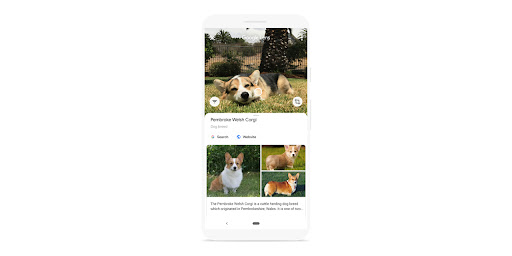
The overview
What Google Lens is for
1Core Capabilitie
- Image Upload Interface
- Image URL Input
- Visual Match Display
- Text Selection Overlay
2Specialized Workflow
- Landmark Recognition Panel
- Product Search Integration
- Translation Output Window
- Similar Image Gallery
Who it helps
Useful ways to use Google Lens
A practical path
Upload or Link Image for Analysi
Navigate to the web interface. Either click the 'Upload an image' button to select a file from your local drive or paste an image URL into the provided input field, then initiate the search
External signals
Reviews & reputation
Aggregated review score
Users value its rapid visual identification for everyday objects and text, particularly for quick information retrieval and translation. Some feedback notes occasional inaccuracies with complex scenes or less common items, and a preference for its mobile app's live camera functionality over the static web upload.
Quick answers
Frequently asked questions
1Can I use Google Lens on the web to identify objects from live camera feeds?⌄
No, the web version of Google Lens primarily functions by analyzing static images you upload or link to. For real-time object identification via a live camera feed, you would typically use the Google Lens feature integrated into mobile applications like the Google app or Google Photos on a smartphone.
2Is there a limit to the file size or resolution of images I can upload for analysis?⌄
While specific hard limits aren't publicly detailed, extremely large image files or very high resolutions may take longer to process or could be downscaled for efficient analysis. For optimal performance, use reasonably sized images (e.g., under 20MB) with clear focus on the objects you wish to identify.
3Does Google Lens on the web retain my uploaded images or search history?⌄
Google Lens processes your images to provide results. If you are signed into your Google account, your search activity, including visual searches, may be saved to your Web & App Activity settings, which you can review and manage. Images themselves are generally not stored long-term after processing unless explicitly saved by the user or for specific product improvement purposes.
4Can I integrate Google Lens's visual recognition capabilities into my own website or application?⌄
The direct Google Lens web interface is designed for end-user interaction. For programmatic integration of visual recognition into your own applications, you would typically explore Google Cloud Vision AI APIs, which offer similar underlying machine learning capabilities for image analysis, object detection, and text recognition.
5What types of entertainment-related content is Google Lens best at identifying?⌄
Google Lens excels at identifying a wide range of entertainment content, including movie posters, album covers, video game box art, famous landmarks from films, specific actors or characters (if prominent), book titles, and even translating text from foreign-language media. It's particularly strong with visually distinct and widely recognized items.
Keep exploring