

What Is Grammarly Used For: Features, Reviews & Alternatives
AI writing assistant for grammar & style.
Editorially updated Oct 25, 2025
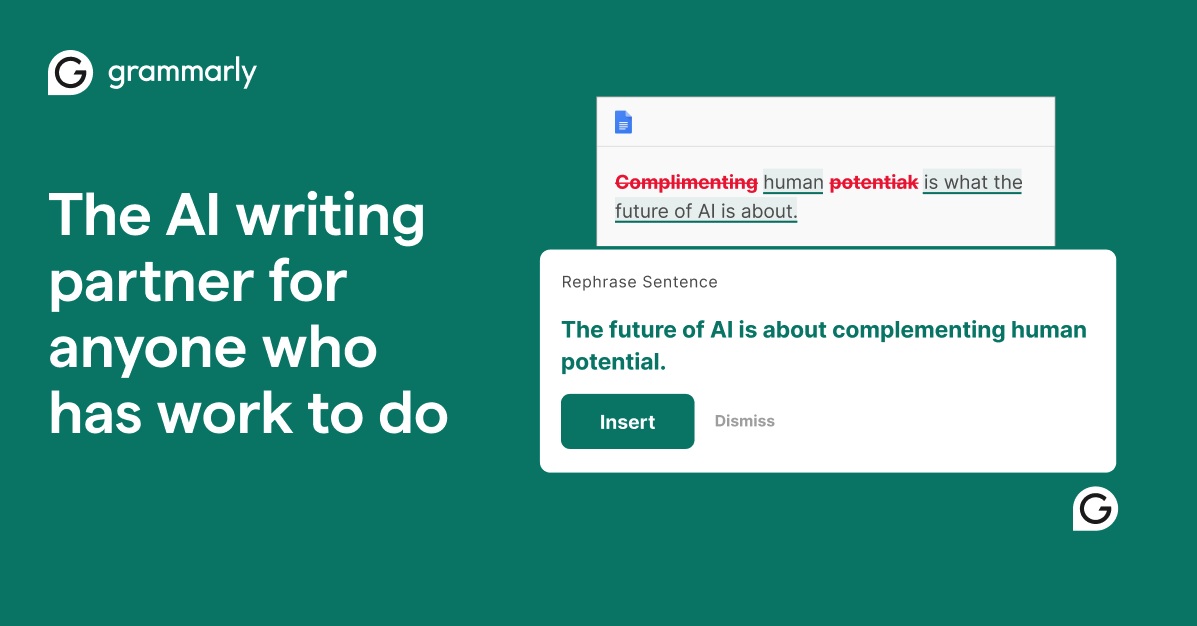
The overview
What Grammarly is for
1Core Capabilitie
- Real-time grammar and spelling correction overlay
- Punctuation accuracy suggestion
- Conciseness and word choice recommendation
- Tone and formality detection panel
2Specialized Workflow
- Full-text web document editor
- Plagiarism detection scan
- Style guide customization interface
- Vocabulary enhancement suggestion
Who it helps
Useful ways to use Grammarly
A practical path
Initiate Text Review
Navigate to the web editor, paste your text, or begin typing in any supported text field with the browser extension active
External signals
Reviews & reputation
Aggregated review score
Grammarly is widely praised for its effectiveness in catching grammatical errors, improving clarity, and suggesting tone adjustments across various digital writing contexts. Users appreciate its real-time feedback and broad platform compatibility. Common criticisms include occasional over-correction, the need for human oversight, and the significant feature gap between its free and premium tiers.
Quick answers
Frequently asked questions
1What are the core differences between the free and Premium versions for a typical user?⌄
The free version offers fundamental grammar, spelling, and punctuation checks. Premium expands significantly, adding clarity-focused rewrites, tone adjustments, conciseness suggestions, vocabulary enhancement, plagiarism detection, and style guide adherence, targeting more sophisticated writing needs.
2How does Grammarly handle data privacy and security, especially with sensitive business documents?⌄
Grammarly employs industry-standard encryption for data in transit and at rest. It operates under a strict privacy policy, stating it does not sell user data or share it with third parties for advertising. For enterprise users, additional controls and compliance certifications are typically available.
3Can I use Grammarly across all my writing platforms, including desktop applications and specific web forms?⌄
Yes, Grammarly offers browser extensions for Chrome, Firefox, Edge, and Safari, a desktop application for Windows and macOS, and mobile keyboards for iOS and Android. This allows for consistent writing assistance across most web-based text fields, email clients, and document editors.
4Does Grammarly support specific style guides like APA, MLA, or custom organizational style guides?⌄
While it doesn't natively enforce specific academic style guides like APA or MLA for formatting, its Premium version allows for custom style guide creation for businesses. This enables organizations to enforce specific terminology, tone, and writing rules across their teams.
5What should I do if Grammarly flags a correct phrase or misses an obvious error?⌄
Grammarly is an AI assistant and can occasionally make mistakes or misinterpret context. You can dismiss incorrect suggestions. For missed errors, manual proofreading remains crucial. You can also report issues to their support to help improve the algorithm.
Keep exploring