

What Is HTTP Status Code Checker Used For: Features, Reviews & Alternatives
Tool to check the server status code response for single or bulk URLs.
Editorially updated Oct 5, 2025
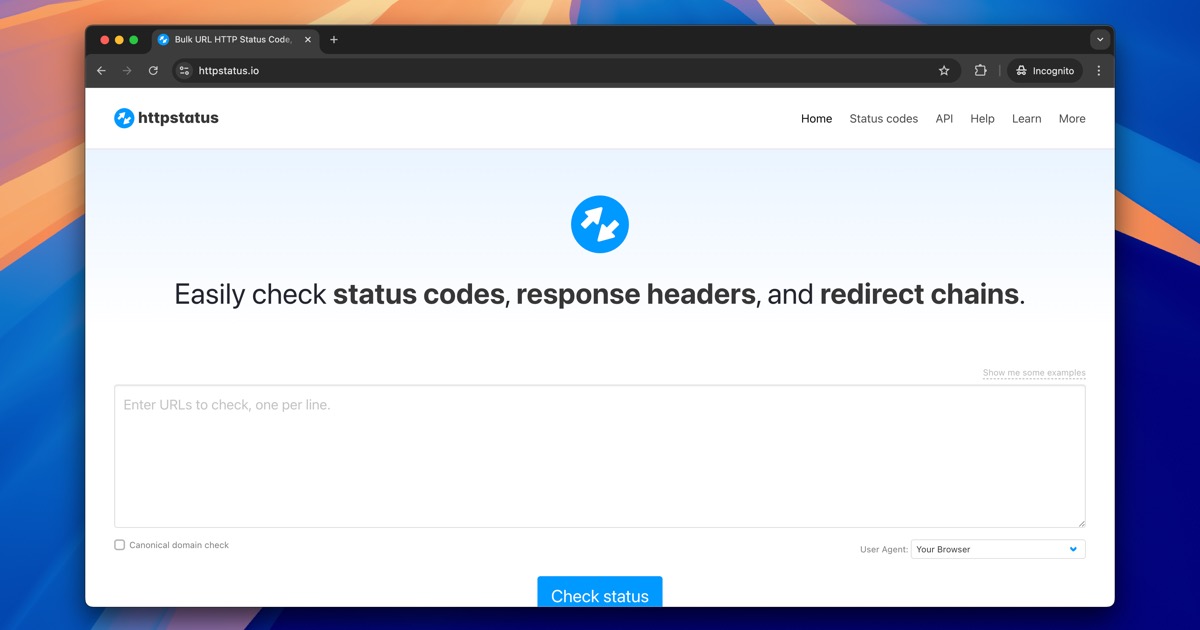
The overview
What HTTP Status Code Checker is for
1Core Capabilitie
- Single URL status query interface
- Bulk URL input panel
- Full HTTP response header display
- Redirect path visualization
2Specialized Workflow
- Custom User-Agent string selector
- Configurable request timeout setting
- CSV export of bulk result
- Response body snippet view
Who it helps
Useful ways to use HTTP Status Code Checker
A practical path
Input Target URL(s)
Navigate to the tool's homepage. Locate the input field for single URLs or the text area for bulk URL lists. Paste or type the URL(s) you wish to inspect
External signals
Reviews & reputation
Aggregated review score
Users praise its straightforward interface and rapid response time for single URL checks. The bulk processing and redirect chain visualization are frequently highlighted as essential for SEO audits and post-migration verification, though some wish for more advanced authentication options.
Quick answers
Frequently asked questions
1Is there a limit to how many URLs I can check in bulk?⌄
The free tier typically allows up to 50 URLs per batch, with a daily limit of 500 checks. Premium subscriptions offer significantly higher limits and faster processing for extensive site audits.
2How does this tool handle redirects, and can I see the full chain?⌄
Yes, the tool automatically follows up to 10 redirects and displays each step in the chain, including the intermediate status codes and the final destination URL. This is crucial for diagnosing redirect loops or incorrect redirect types.
3Does the checker use a specific User-Agent, and can I change it?⌄
By default, it uses a generic browser User-Agent. For advanced debugging, you can select from common crawler User-Agents (e.g., Googlebot, Bingbot) or specify a custom string to simulate different client requests.
4What if my website is behind a firewall or requires authentication?⌄
This tool primarily checks publicly accessible URLs. It does not support HTTP Basic Auth, OAuth, or checking URLs on private networks. For such cases, you would need to whitelist the tool's IP or use an internal solution.
5How quickly are the results updated if I fix an issue on my server?⌄
The tool performs a live check each time you submit a URL. There is no caching of results on our end, so any server-side changes you make should be reflected immediately upon re-checking the URL.
Keep exploring