

What Is Lalicat Used For: Features, Reviews & Alternatives
Antidetect browser providing fingerprint control for managing multiple accounts.
Editorially updated Oct 5, 2025
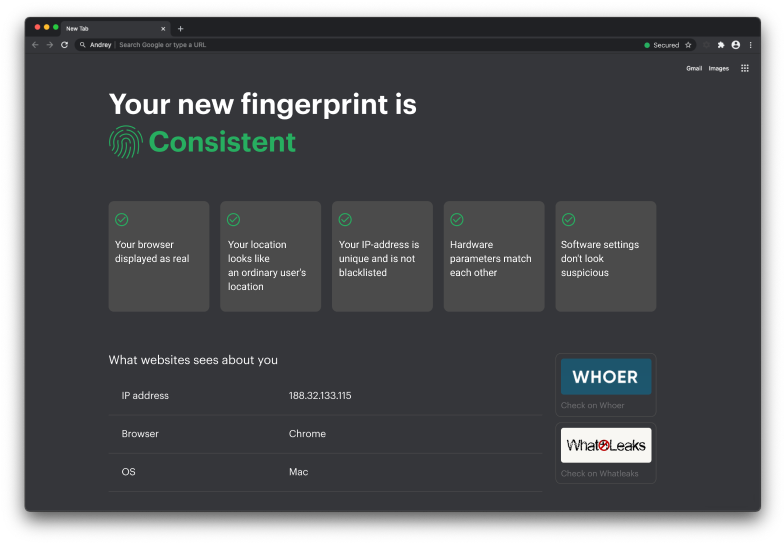
The overview
What Lalicat is for
1Core Capabilitie
- Browser profile creation panel
- Digital fingerprint customization suite
- Proxy configuration per profile
- Cookie import/export utility
- Batch profile launch interface
2Specialized Workflow
- Profile sharing and access management
- Automated profile warm-up sequence
- Browser automation API endpoint
- Multi-profile session synchronization
Who it helps
Useful ways to use Lalicat
A practical path
Initiate a New Browser Profile
Access the web interface and log in. Navigate to the 'Profiles' section in the web dashboard and click 'Create New Profile'
External signals
Reviews & reputation
Aggregated review score
Users value its robust fingerprinting controls and reliable proxy integration for multi-account management. Some feedback points to a learning curve for advanced features and occasional requests for broader browser engine support.
Quick answers
Frequently asked questions
1What is the maximum number of browser profiles I can manage simultaneously?⌄
Your subscription tier dictates the concurrent profile limit. While you can create an unlimited number of profiles, the number you can actively launch and operate at any given moment is capped based on your plan.
2Can I integrate Lalicat profiles with external automation scripts or tools?⌄
Yes, Lalicat provides an API that allows for programmatic control over profile creation, launch, and management. This enables integration with custom automation scripts, Puppeteer, Selenium, or other browser automation frameworks.
3How does Lalicat ensure my real IP address is not leaked when using proxies?⌄
Lalicat implements robust leak prevention mechanisms, including WebRTC blocking and DNS leak protection, within each isolated browser profile. When a proxy is configured, all network traffic for that profile is routed exclusively through the proxy, preventing your actual IP from being exposed.
4Is it possible to share specific browser profiles with team members securely?⌄
Yes, the platform includes a team management feature where you can invite team members and assign specific browser profiles to them with granular access permissions, ensuring secure collaboration without sharing credentials.
5What kind of digital fingerprint parameters can I customize for each profile?⌄
You can customize a comprehensive set of parameters including User-Agent, Canvas, WebGL, AudioContext, Client Rects, Timezone, Geolocation, Language, Screen Resolution, and more, to create a truly unique and consistent digital identity for each profile.
Keep exploring