

What Is Ledger Used For: Features, Reviews & Alternatives
Hardware wallets for secure crypto storage.
Editorially updated Oct 5, 2025
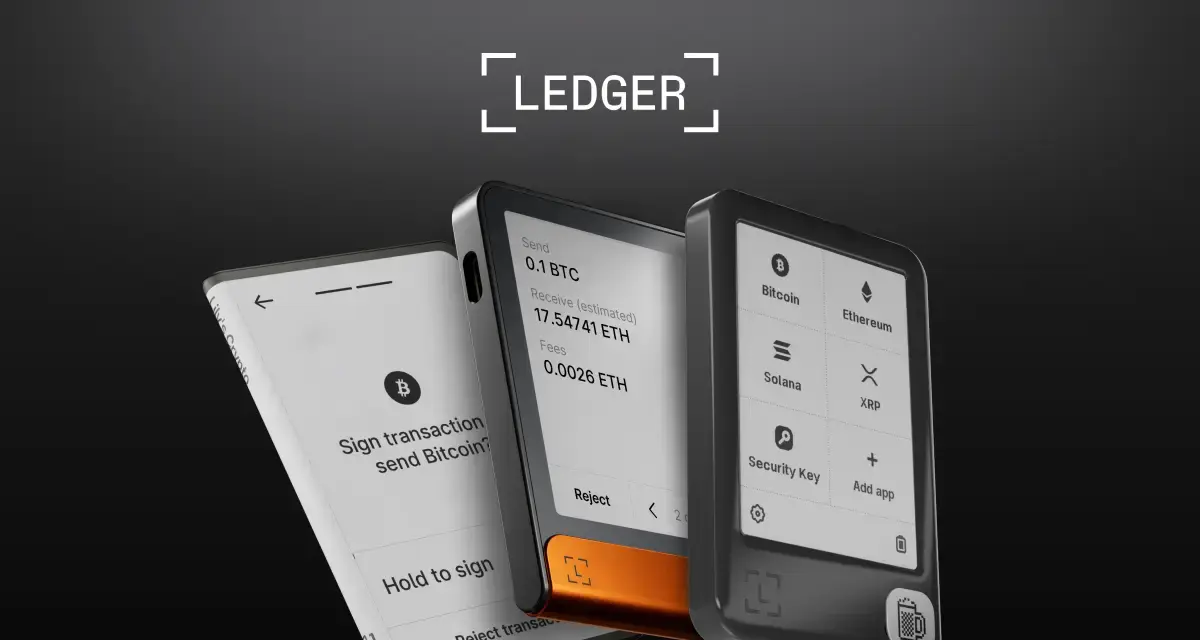
The overview
What Ledger is for
1Core Capabilitie
- Hardware wallet product catalog
- Live application download portal
- Supported crypto asset list
- Firmware update instruction
- Device authenticity verification tool
- Knowledge base and support article
2Specialized Workflow
- Staking and DeFi integration guide
- NFT management setup flow
- Seed phrase recovery walkthrough
- Multi-account management tutorial
- Developer SDK documentation acce
- Enterprise solutions inquiry form
Who it helps
Useful ways to use Ledger
A practical path
Procure a Device
Navigate to the "Products" section on .com, compare the Nano S Plus and Nano X models based on features like Bluetooth connectivity or asset capacity, add the preferred device to the cart, and complete the secure checkout proce
External signals
Reviews & reputation
Aggregated review score
Users praise Ledger for its robust security, broad asset support, and the intuitive Ledger Live interface for managing crypto. Common feedback highlights the learning curve for new users and occasional software synchronization issues, but overall, it's considered a gold standard for self-custody.
Quick answers
Frequently asked questions
1What cryptocurrencies and tokens does Ledger support?⌄
Ledger devices, in conjunction with the Ledger Live application, support over 5,500 different cryptocurrencies and tokens, including major assets like Bitcoin (BTC), Ethereum (ETH), XRP, Cardano (ADA), Solana (SOL), and thousands of ERC-20 tokens. The full, up-to-date list is available on the "Supported Crypto Assets" page of the Ledger website.
2How do I recover my funds if my Ledger device is lost, stolen, or damaged?⌄
Your funds are not stored on the Ledger device itself, but on the blockchain. The device holds your private keys, secured by your 24-word recovery phrase. If your device is compromised, you can use this recovery phrase to restore access to your funds on any new Ledger device or compatible software wallet, ensuring your assets remain accessible even without the original hardware.
3Can I use my Ledger device for staking or interacting with DeFi protocols?⌄
Yes, Ledger Live offers direct staking for several proof-of-stake assets like Ethereum (ETH), Polkadot (DOT), and Tezos (XTZ). For other assets and more complex DeFi interactions (e.g., lending, borrowing, liquidity provision), you can connect your Ledger device to compatible third-party wallets (like MetaMask) or dApp interfaces, using your Ledger for secure transaction signing.
4What is the difference between the Ledger Nano S Plus and the Ledger Nano X?⌄
The Ledger Nano X offers Bluetooth connectivity for mobile use, a larger screen, and more storage capacity for installing a greater number of crypto applications simultaneously. The Nano S Plus is a more affordable, wired-only device with a larger screen and improved app capacity compared to the original Nano S, making it a solid choice for desktop users.
5Is Ledger Live open source, and how does Ledger ensure the security of its software?⌄
While Ledger Live is not fully open source, critical components like the Ledger operating system (BOLOS) and the cryptographic libraries are subject to independent security audits and bug bounty programs. Ledger employs a team of security experts and cryptographers to continuously review and enhance the security of both its hardware and software ecosystem.
Keep exploring