

What Is Linkody Used For: Features, Reviews & Alternatives
Backlink monitoring tool.
Editorially updated Oct 5, 2025
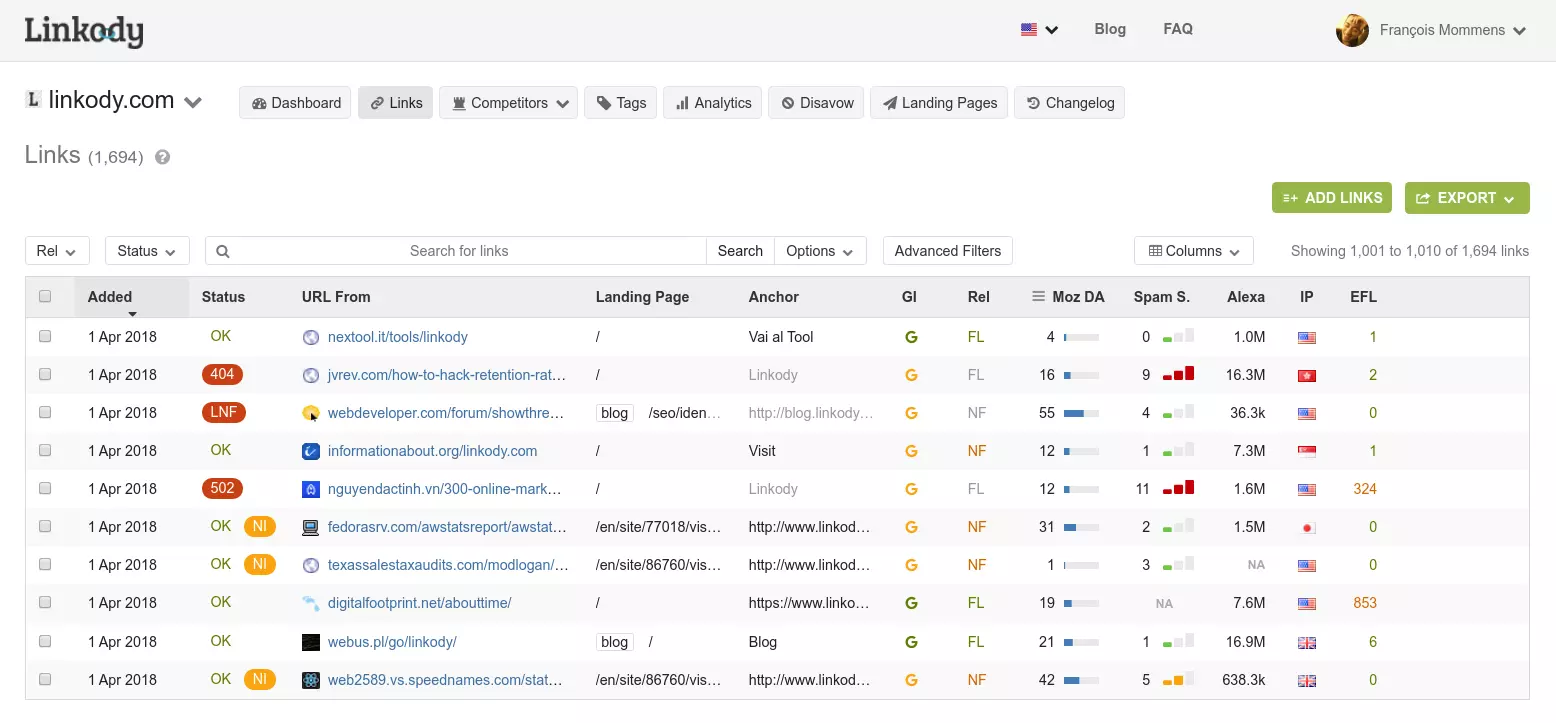
The overview
What Linkody is for
1Core Capabilitie
- Backlink Discovery & Indexing
- Link Status Monitoring
- Anchor Text Analysi
- Domain Authority Metrics Integration
2Specialized Workflow
- Disavow File Generation
- Competitor Backlink Spy
- Link Change Email Alert
- Custom Tagging & Filtering
- Exportable Link Report
Who it helps
Useful ways to use Linkody
A practical path
Initiate Domain Tracking
Navigate to the 'My Domains' section after logging in. Input the target website URL into the 'Add New Domain' field and confirm to begin the initial backlink crawl and setup monitoring
External signals
Reviews & reputation
Aggregated review score
Users value its reliable backlink change detection and straightforward interface for daily monitoring. Praised for its email alerts and disavow file generation, though some note the lack of deeper integration with other SEO suites.
Quick answers
Frequently asked questions
1How frequently does Linkody recrawl my monitored domains for new or lost backlinks?⌄
Linkody typically performs daily recrawls for all active monitored domains. This ensures that new links are discovered quickly and any lost links are identified promptly, keeping your backlink data current and actionable.
2Can I monitor competitor backlink profiles without owning their domain?⌄
Yes, you can add any domain for monitoring, including competitor websites. This allows you to analyze their link acquisition strategies, identify potential link opportunities, and track their link profile changes, even if you don't have administrative access.
3What happens if I exceed my subscription's link monitoring limit?⌄
If your monitored domains collectively exceed the total link limit for your current plan, Linkody will notify you. You'll need to either upgrade your subscription to a higher tier or remove some monitored links/domains to stay within your plan's allowance.
4Does Linkody integrate with Google Search Console or other SEO tools?⌄
Linkody primarily operates as a standalone backlink monitoring platform. While it doesn't offer direct API integrations with tools like Google Search Console, you can export data in CSV format for manual import into other analysis platforms.
5How does Linkody handle 'nofollow' or 'sponsored' attributes on backlinks?⌄
Linkody identifies and reports the `rel` attributes (e.g., `nofollow`, `ugc`, `sponsored`) for each discovered backlink. This allows you to differentiate between various link types and assess their potential SEO value according to Google's guidelines.
Keep exploring