

What Is Lutron Caséta Used For: Features, Reviews & Alternatives
Smart lighting controls and shades.
Editorially updated Oct 25, 2025
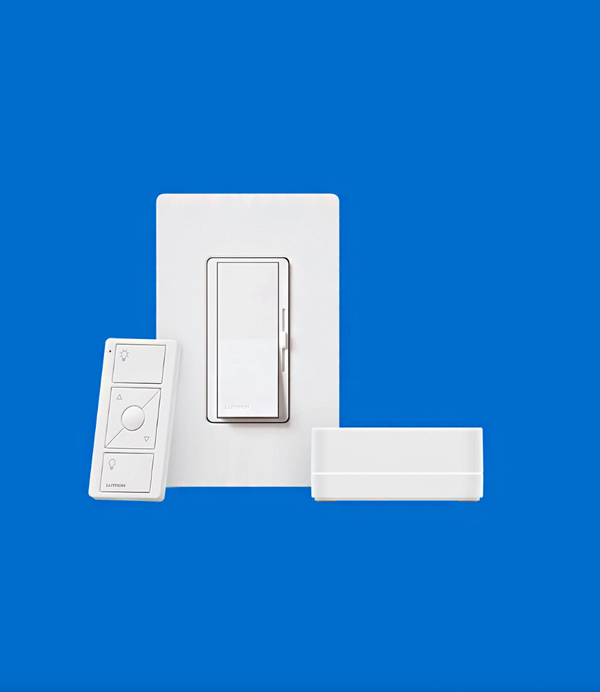
The overview
What Lutron Caséta is for
1Core Capabilitie
- Product compatibility checker
- System design planning tool
- Authorized dealer and installer locator
- Firmware update instructions and download
- Technical specification sheets library
2Specialized Workflow
- Installation guide PDF repository
- Troubleshooting knowledge base for common issue
- Product comparison matrix for dimmers and switche
- Energy savings calculator for lighting upgrade
- Integration guides for third-party smart home platform
Who it helps
Useful ways to use Lutron Caséta
A practical path
Research Product Compatibility
Navigate to the 'Products' section, select the desired dimmer type (e.g., ELV, MLV) or shade style (e.g., roller, honeycomb), and use the filter options to narrow down choices based on load type or window dimension
External signals
Reviews & reputation
Aggregated review score
Users consistently praise the Lutron Caséta website for its comprehensive product information, clear compatibility tools, and extensive library of installation and troubleshooting guides. The site is valued for enabling detailed pre-purchase research and providing robust post-installation support, making it a critical resource for both DIY enthusiasts and professional integrators in the smart home lighting and shade control space.
Quick answers
Frequently asked questions
1Is a Lutron Smart Bridge required for all Caséta devices, or can I use them standalone?⌄
While Caséta dimmers and switches can operate locally for basic on/off and dimming with Pico remotes, the Smart Bridge is essential for app control, scheduling, geofencing, and integration with third-party smart home platforms like Apple HomeKit, Amazon Alexa, or Google Assistant. It's the central hub for advanced smart functionality.
2What is the maximum number of devices a single Caséta Smart Bridge can support, and how do I expand beyond that limit?⌄
A single Caséta Smart Bridge (L-BDG2-WH) can support up to 75 Caséta devices, including dimmers, switches, Pico remotes, and Serena shades. If your system requires more devices, you would need to deploy an additional Smart Bridge, effectively creating a second Caséta system, which can then be managed separately or potentially linked via a broader smart home platform.
3Can I integrate my Caséta system with other smart home platforms, and what level of control is available?⌄
Yes, Caséta offers robust integration with major smart home ecosystems including Apple HomeKit, Amazon Alexa, Google Assistant, and Samsung SmartThings. This allows for voice control, inclusion in scenes, and automation routines managed by those platforms. Specific control capabilities (e.g., dimming vs. just on/off) can vary slightly by platform, but core functionality is generally well-supported.
4How do I update the firmware on my Caséta devices, and is it necessary?⌄
Firmware updates for Caséta devices are typically pushed through the Lutron Caséta app, which communicates with your Smart Bridge. It's generally recommended to keep your devices updated to ensure optimal performance, security, and compatibility with new features or integrations. The app will usually notify you when updates are available and guide you through the process.
5What are the power requirements for Caséta dimmers and switches, and do they require a neutral wire?⌄
Many Caséta dimmers (e.g., PD-6WCL) are designed to work without a neutral wire, making them ideal for older homes. However, some Caséta switches (e.g., PD-5WS) and specific dimmer models for certain load types (e.g., MLV) do require a neutral wire for proper operation. Always check the specific product's technical specifications and installation guide before purchase and installation.
Keep exploring