

What Is Microsoft 365 Used For: Features, Reviews & Alternatives
Subscription suite of Office apps & cloud.
Editorially updated Oct 25, 2025
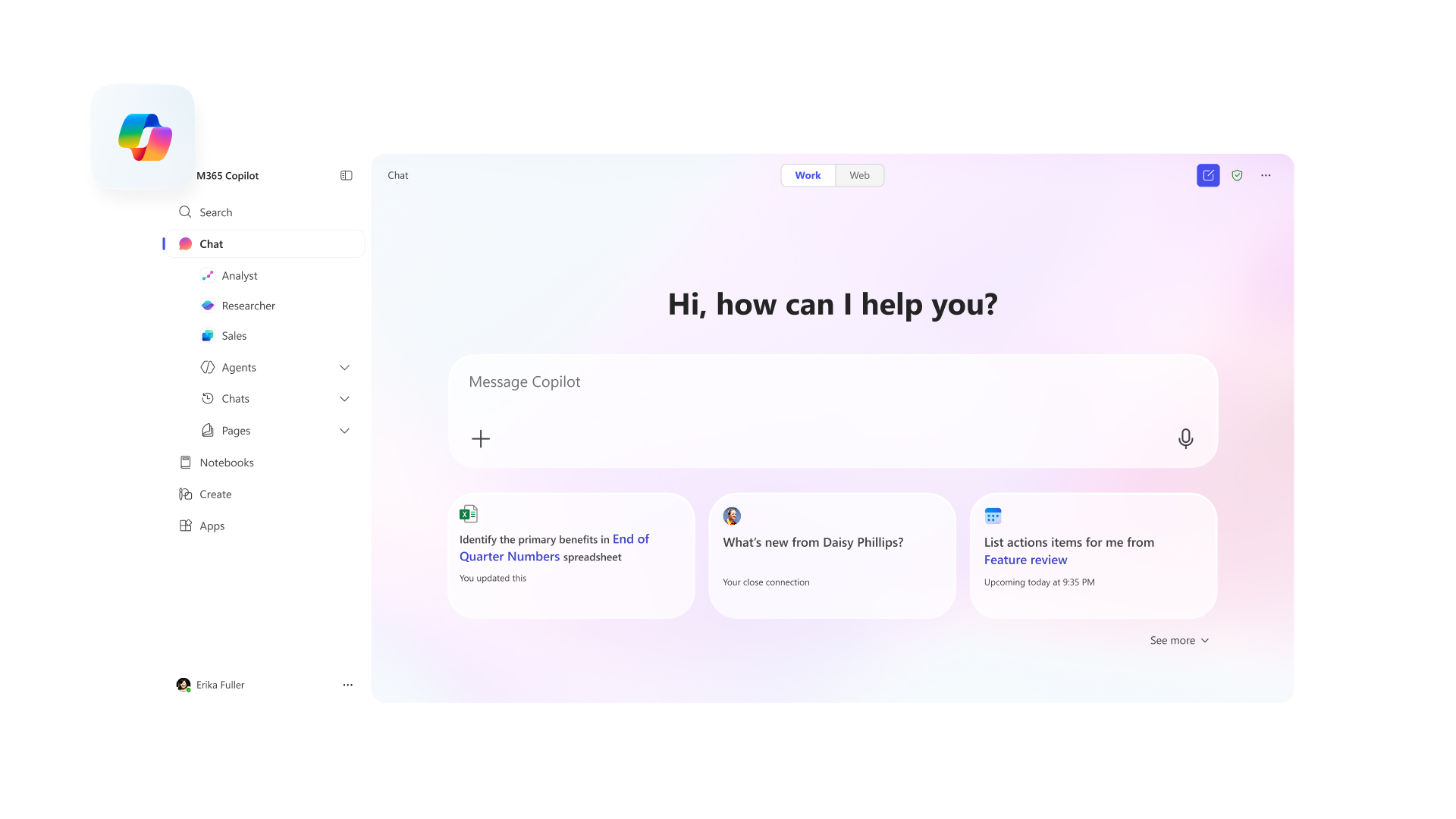
The overview
What Microsoft 365 is for
1Core Capabilitie
- Web-based document editor interfaces (Word, Excel, PowerPoint)
- Outlook on the web for email, calendar, and contacts management
- OneDrive for Business cloud file storage and sharing portal
- Teams web client for persistent chat, video conferencing, and file collaboration
- SharePoint Online site creation and content management interface
2Specialized Workflow
- admin center for tenant, user, and license management
- Exchange admin center for mail flow and recipient configuration
- Security and Compliance Center web console for policy enforcement and eDiscovery
- Azure AD (Entra ID) portal for identity and access management
- Power Platform web studio for low-code application and automation development
Who it helps
Useful ways to use Microsoft 365
A practical path
Accessing a Shared Document via Web Browser
Navigate to portal.office.com or a direct link to a shared document. Authenticate with your organizational credentials. The M365 portal dashboard will display recent files and shared content
External signals
Reviews & reputation
Aggregated review score
Microsoft 365 is widely regarded as the industry standard for integrated cloud productivity, offering a comprehensive suite of web-accessible applications and robust administrative controls. Users frequently praise its deep feature set, familiar interfaces, and strong security capabilities. While the breadth of features can sometimes lead to complexity, its browser-first functionality and extensive ecosystem make it a critical tool for businesses of all sizes.
Quick answers
Frequently asked questions
1What administrative controls are available for managing user access and data sharing across the organization?⌄
The Microsoft 365 admin center provides granular controls for user provisioning, license assignment, and role-based access. For data sharing, administrators can configure external sharing policies for SharePoint and OneDrive, set up data loss prevention (DLP) policies in the Compliance Center, and manage guest access in Teams, all through dedicated web portals.
2Can I use all applications entirely through a web browser, or are desktop installations required for full functionality?⌄
Many core applications like Outlook, Word, Excel, PowerPoint, and Teams offer robust web versions that cover the majority of daily productivity needs. While desktop applications often provide advanced features (e.g., complex macros in Excel, specific Outlook add-ins), the web versions are fully functional for most users and scenarios, emphasizing a browser-first workflow.
3How does data residency and compliance work for organizations operating in specific regions?⌄
Microsoft 365 offers data residency options, allowing organizations to specify the geographic region where their core customer data (e.g., Exchange mailboxes, SharePoint site content, OneDrive files) is stored. This is managed through the Microsoft 365 admin center and is crucial for meeting regional compliance requirements like GDPR or local data sovereignty laws. Specific service descriptions detail regional commitments.
4What are the different subscription tiers available for businesses, and how do they differ in web-based features?⌄
Microsoft 365 offers various business plans (e.g., Business Basic, Business Standard, Business Premium, Enterprise SKUs). Business Basic primarily provides web and mobile app access, while Business Standard adds desktop app installations. Higher tiers like Business Premium and Enterprise include advanced security, compliance, and device management features, many of which are configured and managed via web-based admin portals.
5How does the web-based experience compare to Google Workspace for organizations evaluating cloud productivity suites?⌄
Microsoft 365's web experience is deeply integrated with its desktop counterparts, often providing a more familiar interface for users accustomed to traditional Office applications. It generally offers more robust administrative controls and compliance features via its web portals. Google Workspace, conversely, was born web-first, often perceived as lighter-weight and more collaborative by default, with a different UI/UX paradigm. The choice often depends on existing ecosystem familiarity and specific organizationa
Keep exploring