

What Is Microsoft Edge Used For: Features, Reviews & Alternatives
Cross-platform web browser.
Editorially updated Oct 25, 2025
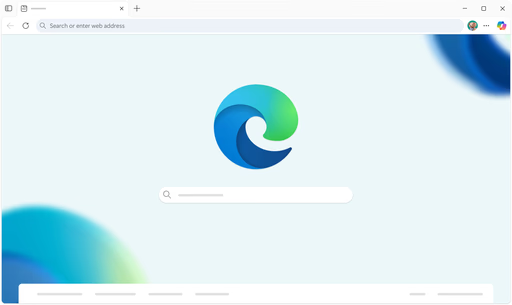
The overview
What Microsoft Edge is for
1Core Capabilitie
- Chromium-based rendering engine
- Integrated tracking prevention
- Vertical tabs interface
- Performance mode optimization
- Progressive Web App (PWA) installation
2Specialized Workflow
- In-browser developer tools suite
- Collections for content aggregation
- Enterprise policy management via Group Policy/Intune
- Microsoft 365 integration panel
- Secure password manager and autofill
Who it helps
Useful ways to use Microsoft Edge
A practical path
Initiate a Browsing Session
Launch the application. The browser will open to your configured start page or a new tab. Enter a URL in the address bar or use the search bar to navigate to a desired website
External signals
Reviews & reputation
Aggregated review score
Microsoft Edge is widely recognized for its robust performance, strong security features, and seamless integration within the Microsoft ecosystem. Users frequently commend its efficiency, low resource consumption, and the utility of features like Collections and vertical tabs, particularly in professional and enterprise environments. While some users note a preference for other browsers, Edge's continuous development and feature set make it a compelling choice for productivity and secure web navigation.
Quick answers
Frequently asked questions
1How does Microsoft Edge handle enterprise deployment and management?⌄
Edge supports robust enterprise deployment via standard tools like Microsoft Endpoint Manager (Intune) and Group Policy. IT administrators can configure browser settings, manage extensions, enforce security policies, and control updates across an organization, ensuring compliance and a consistent user experience.
2Is Microsoft Edge compatible with existing Chrome extensions?⌄
Yes, as Edge is built on the Chromium open-source project, it is fully compatible with extensions available in the Chrome Web Store. Users can install extensions directly from the Chrome Web Store or the Microsoft Edge Add-ons store, expanding browser functionality.
3What are the privacy and security features built into Edge?⌄
Edge includes several privacy and security features, such as SmartScreen for phishing and malware protection, Tracking Prevention with configurable levels, Secure DNS, and a built-in password monitor. It also offers InPrivate browsing mode for sessions that don't save browsing history, cookies, or site data.
4Can I sync my browsing data across multiple devices?⌄
Yes, Edge supports synchronization of browsing data including favorites, passwords, history, open tabs, and collections across all devices where you're signed in with the same Microsoft account. This ensures a seamless browsing experience whether you're on a desktop, laptop, or mobile device.
5How does Edge integrate with other Microsoft services?⌄
Edge offers deep integration with Microsoft 365 services, allowing direct access to Outlook, OneDrive, and Office apps from the browser sidebar. It also integrates with Bing for search, Microsoft Defender for enhanced security, and provides a consistent experience for users within the broader Microsoft ecosystem.
Keep exploring