

What Is Morgen Used For: Features, Reviews & Alternatives
Calendar consolidation & scheduling tool.
Editorially updated Oct 25, 2025
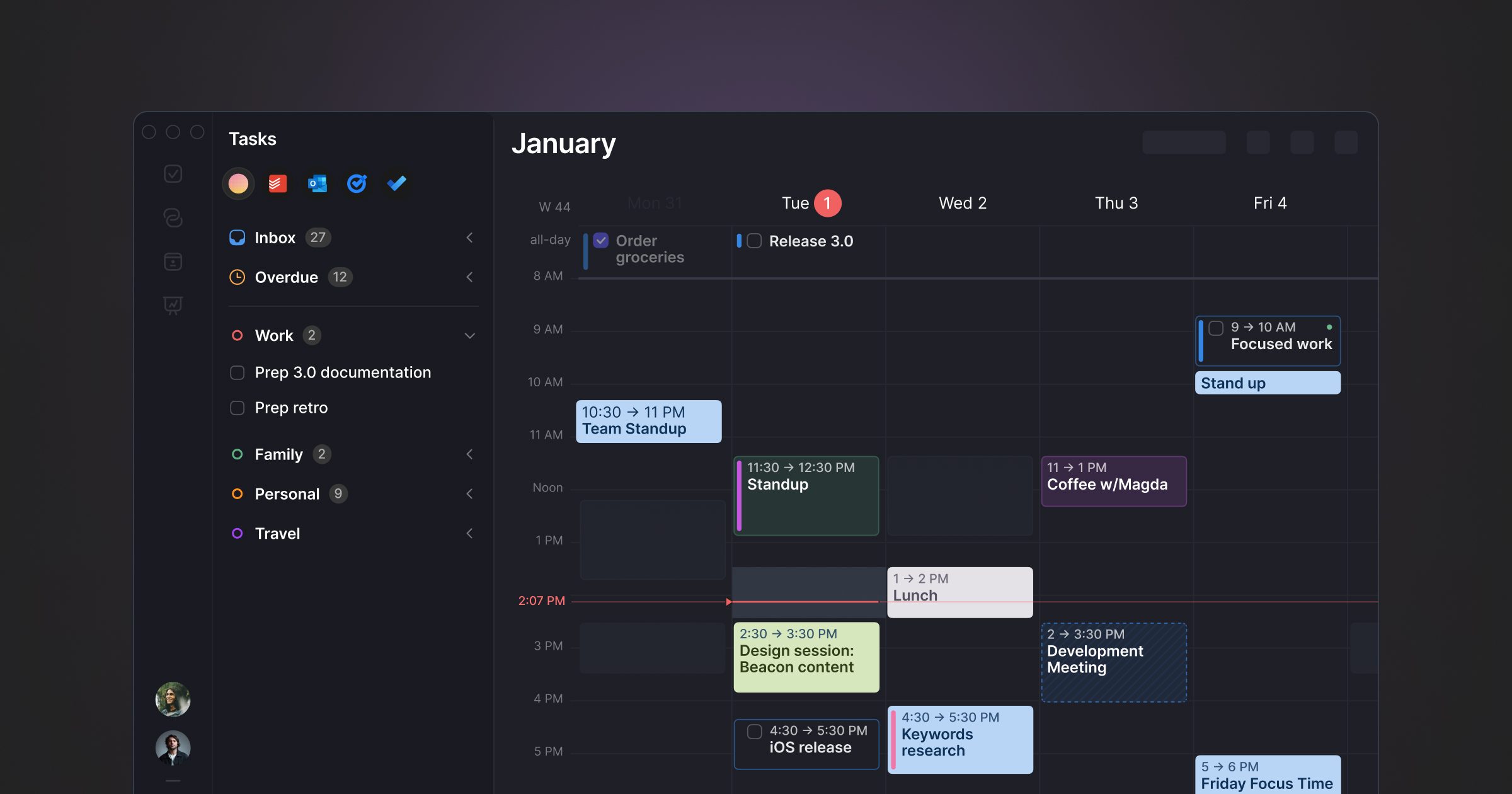
The overview
What Morgen is for
1Core Capabilitie
- Unified Calendar View (multi-source)
- Drag-and-Drop Event Creation
- Time Zone Conversion Panel
- Meeting Link Generation
- Event Search & Filtering
2Specialized Workflow
- Custom Availability Template
- Calendar Sharing Permission
- ICS/CalDAV Sync Configuration
- Task Integration (basic)
- Meeting Buffer Configuration
Who it helps
Useful ways to use Morgen
A practical path
Connect Calendar Account
Navigate to the web application, sign in, and access the 'Integrations' panel to link your Google, Outlook, iCloud, or CalDAV calendars, consolidating all events into the main dashboard for a unified view
External signals
Reviews & reputation
Aggregated review score
Users appreciate Morgen's ability to consolidate multiple calendar sources into a single, clean web interface, significantly simplifying complex scheduling. The custom availability templates and meeting link generation are frequently highlighted as productivity boosters, though some users note a learning curve for advanced features and occasional minor sync delays with less common calendar providers.
Quick answers
Frequently asked questions
1How does Morgen handle privacy and data security for my connected calendars?⌄
Morgen uses OAuth 2.0 for calendar integrations, meaning it never stores your actual calendar credentials. Event data is encrypted in transit and at rest, and access is limited to what's strictly necessary for core functionality, adhering to robust data protection protocols to safeguard your information.
2Can I use Morgen to manage team calendars or only my personal schedule?⌄
Morgen is designed for both individual and team use. You can connect multiple personal calendars, and also integrate shared team calendars or create team scheduling pages that reflect the combined availability of selected members, facilitating group coordination and resource planning.
3What happens if my internet connection drops while I'm using Morgen in the browser?⌄
As a browser-first application, Morgen requires an active internet connection for real-time synchronization and full feature access. While recently loaded calendar data may remain visible, any changes made offline would sync once connectivity is restored. It is not designed as an offline-first application.
4Is there a mobile application, or is it strictly web-based?⌄
Morgen is primarily a web-based tool, optimized for browser-first workflows on desktop and mobile browsers. While there might be companion desktop applications, the core functionality and user experience are centered around the web application, ensuring accessibility from any device with a modern browser.
5How does Morgen compare to direct scheduling features within Google Calendar or Outlook?⌄
Morgen differentiates itself by offering a unified view across *multiple* calendar providers (Google, Outlook, iCloud, CalDAV) in one interface, advanced availability customization, and more robust scheduling page options than typically found natively within a single calendar service. It's built for cross-platform consolidation and advanced scheduling needs, rather than being tied to one ecosystem.
Keep exploring