

What Is Navan (TripActions) Used For: Features, Reviews & Alternatives
Corporate travel & expense management platform.
Editorially updated Oct 25, 2025
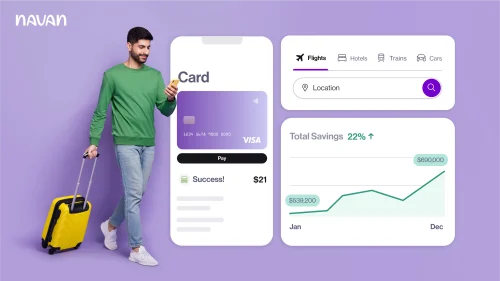
The overview
What Navan (TripActions) is for
1Core Capabilitie
- Global flight search and booking engine
- Hotel inventory browser with corporate rate
- Rental car booking portal
- Dynamic travel policy compliance engine
- Real-time expense capture interface
2Specialized Workflow
- Automated approval routing configuration
- Duty of care traveler tracking map
- Integrated spend analytics dashboard
- Multi-currency expense reconciliation module
- Supplier negotiation insights panel
Who it helps
Useful ways to use Navan (TripActions)
A practical path
Initiate a Business Trip Booking
Log in to the Navan web portal. Navigate to the 'Book Travel' section from the main dashboard and select the desired travel type (e.g., 'Flight')
External signals
Reviews & reputation
Aggregated review score
Navan is highly regarded for its comprehensive corporate travel and expense management capabilities, particularly its intuitive web interface and strong policy enforcement. Users appreciate the integrated booking and expense reporting, though some note the initial setup complexity for larger organizations.
Quick answers
Frequently asked questions
1How does Navan handle out-of-policy bookings and exceptions?⌄
The platform flags out-of-policy selections during the booking flow, requiring traveler acknowledgment or manager approval based on configured rules. It doesn't prevent booking but ensures visibility and accountability, allowing for exceptions while maintaining oversight.
2What are the primary integration points for expense data reconciliation?⌄
Navan integrates with major ERP systems (e.g., NetSuite, SAP, Oracle) and accounting software (e.g., QuickBooks, Xero) for automated general ledger coding, expense data export, and streamlined reconciliation, reducing manual data entry for finance teams.
3Is there a mobile application, or is the platform purely web-based?⌄
While the core booking and management is browser-first, Navan offers a robust mobile application for travelers to book, manage itineraries, and capture expenses on the go. All data syncs seamlessly with the web platform for a unified experience.
4How does Navan support duty of care for corporate travelers?⌄
The platform provides a real-time traveler tracking map, access to emergency contact information, and automated alerts for travel managers in case of incidents or disruptions in a traveler's location, enabling proactive support and communication.
5What is the typical implementation timeline for a new corporate client?⌄
Implementation timelines vary based on company size, policy complexity, and integration requirements, but typically range from 4-8 weeks. This includes policy configuration, user onboarding, and integration setup with existing financial systems.
Keep exploring