

What Is Nest Used For: Features, Reviews & Alternatives
Google's line of smart home products.
Editorially updated Oct 25, 2025
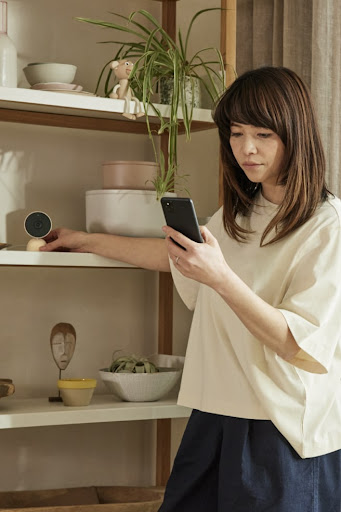
The overview
What Nest is for
1Core Capabilitie
- Unified device status dashboard
- Live camera feed viewer
- Thermostat schedule editor
- Event history timeline
- Notification preference panel
2Specialized Workflow
- Home structure management
- Guest access configuration
- Energy usage reporting
- Security event log export
- Device pairing wizard (web-initiated)
Who it helps
Useful ways to use Nest
A practical path
Accessing Live Camera Feed
Navigate to home. .com (or home.google.com), sign in with your Google account, and select the desired camera from the device list to view its live stream and review recorded event
External signals
Reviews & reputation
Aggregated review score
Users appreciate the intuitive web interface for remote monitoring and control of their Nest devices, particularly for thermostats and camera feeds. While some advanced setup requires the mobile app, the browser experience offers reliable access and historical data review.
Quick answers
Frequently asked questions
1Can I manage my Nest devices from a web browser if my internet connection at home is down?⌄
No, the web interface requires an active internet connection at both your location and your home to communicate with your Nest devices. If your home internet is offline, the devices cannot send data or receive commands via the web portal.
2Is a subscription required to view live camera feeds or access event history via the web?⌄
Basic live viewing and a limited event history (typically 3 hours) are available without a subscription for most Nest Cams. However, to access extended video history, intelligent alerts (like familiar face detection), and continuous video recording, a Nest Aware subscription is required.
3How do I add a new Nest device to my home using the web interface?⌄
While initial device setup and pairing are primarily guided through the Google Home mobile app, the web interface allows you to manage the home structure where devices reside. For adding new hardware, you'll typically start the process in the mobile app, which then integrates the device into your Google Home ecosystem, making it accessible via the web portal.
4What data privacy measures are in place for my camera feeds and personal information?⌄
Google employs industry-standard encryption for all data transmitted between your Nest devices, the cloud, and your web browser. Your video feeds are private and only accessible by you and those you explicitly grant access to. Google's privacy policy details how your data is handled, emphasizing user control over personal information.
5Can I integrate my Nest devices with other smart home platforms like Apple HomeKit or Samsung SmartThings via the web?⌄
Direct integration with platforms like Apple HomeKit is not natively supported through the Nest web interface. Nest devices primarily integrate within the Google Home ecosystem. For broader compatibility, users often explore third-party solutions or services like IFTTT, which can bridge some functionalities, but these are configured outside the native Nest web portal.
Keep exploring