

What Is NewsBlur Used For: Features, Reviews & Alternatives
Personal news reader with intelligence.
Editorially updated Oct 25, 2025
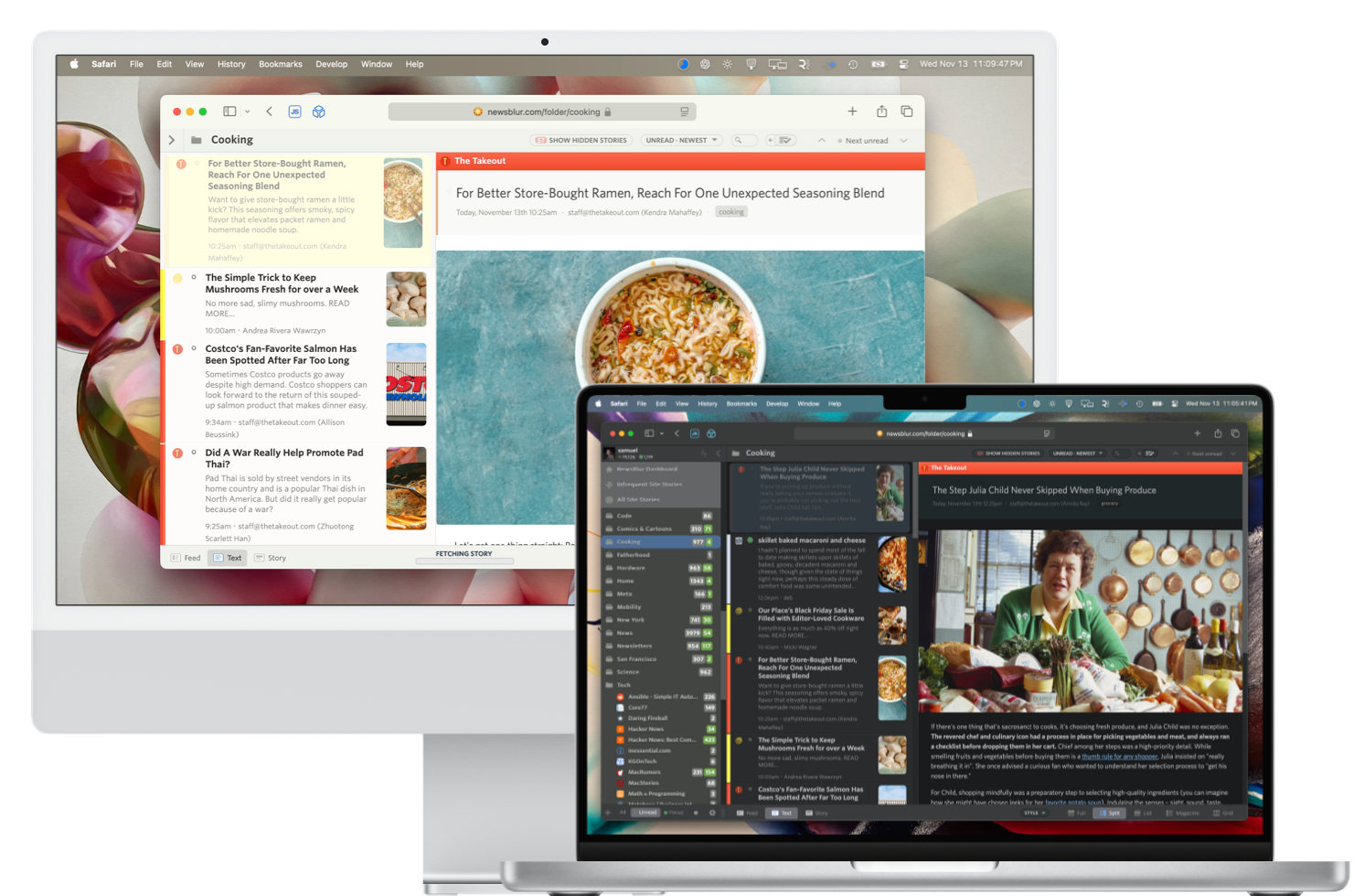
The overview
What NewsBlur is for
1Core Capabilitie
- Feed subscription panel (URL input, search)
- Multiple story view modes (original site, text, river of news)
- Unread story management (mark all, focus on unread)
- Folder-based feed organization
- Keyboard navigation for story browsing
2Specialized Workflow
- Story training interface (mark as interesting/uninteresting)
- Content filtering rules editor (keywords, authors, tags)
- Saved stories archive for later review
- Search within subscribed feed
- Public/private story sharing option
Who it helps
Useful ways to use NewsBlur
A practical path
Subscribe to a New Feed
Navigate to the 'Add Site' button in the left sidebar. Input the URL of an RSS feed or a website, and will attempt to discover available feeds. Confirm the subscription to add it to your feed list
External signals
Reviews & reputation
Aggregated review score
NewsBlur is highly valued by power users seeking granular control over their news consumption. Its unique 'intelligence' training system effectively filters noise, making it a robust choice for managing a high volume of feeds. While the interface can feel dense to new users, its deep customization and open-source nature appeal strongly to those prioritizing personalized information flow.
Quick answers
Frequently asked questions
1What is the difference between the free and premium accounts?⌄
The free account allows you to subscribe to up to 64 feeds and access basic features. A premium subscription removes the feed limit, unlocks the full intelligence training capabilities, provides faster feed updates, and enables access to the original story text view for all articles.
2Can I import my existing feed subscriptions from another reader?⌄
Yes, NewsBlur supports importing subscriptions via an OPML file. You can typically export an OPML file from most other RSS readers, then navigate to the 'Manage Feeds' section within NewsBlur and use the 'Import OPML' option to transfer your feeds.
3Is there a mobile application for NewsBlur?⌄
NewsBlur offers native mobile applications for both iOS and Android devices. These apps provide a synchronized reading experience with the web version, allowing you to read and train stories on the go, even with offline caching capabilities for subscribed content.
4How does NewsBlur's 'intelligence' feature work?⌄
The intelligence feature is a machine learning system you train by marking stories as 'interesting' (green) or 'uninteresting' (red). It learns your preferences based on keywords, authors, tags, and categories, then uses this knowledge to highlight or hide future stories, effectively filtering your feed to show more of what you want to see.
5Can I self-host NewsBlur on my own server?⌄
Yes, NewsBlur is open-source software. While the primary service is hosted, the entire codebase is available on GitHub, allowing technically proficient users to deploy and run their own instance of NewsBlur on a private server, providing full control over their data and infrastructure.
Keep exploring