

What Is Origin / EA App Used For: Features, Reviews & Alternatives
Electronic Arts' official PC game launcher & store.
Editorially updated Oct 25, 2025
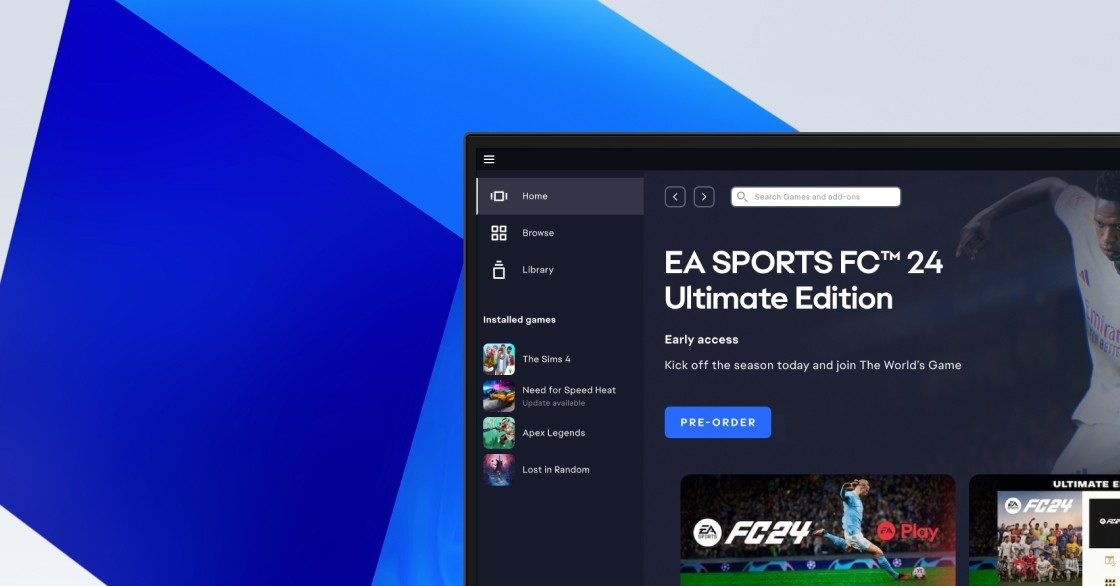
The overview
What Origin / EA App is for
1Core Capabilitie
- Digital storefront browsing with genre filter
- Personalized game library access and management
- Account profile and security settings panel
- DRM license validation and entitlement check
- Purchase history and transaction records view
- EA Play subscription management portal
2Specialized Workflow
- Pre-load scheduling for upcoming release
- Automatic patch deployment and update management
- Friends list and direct messaging integration
- In-game overlay access for social features and store
- Cloud save synchronization for supported title
- Game repair and verification utility
Who it helps
Useful ways to use Origin / EA App
A practical path
Browse and Select Game
Navigate to the EA App website (ea.com/ea-app) or open the desktop client. Use the search bar or browse categories to find a desired PC title, then click on its store page to view details, trailers, and system requirement
External signals
Reviews & reputation
Aggregated review score
Users generally appreciate the consolidated library and improved performance over its predecessor, Origin. However, common criticisms include occasional client bugs, slower download speeds compared to competitors, and a perceived lack of unique features beyond basic game launching and store access. The transition process from Origin was mostly smooth, but some users reported initial issues with game recognition or account linking.
Quick answers
Frequently asked questions
1Can I play my EA App games offline?⌄
Yes, most single-player EA App games can be played offline after an initial online activation. You'll need to launch the EA App client while connected to the internet at least once to validate your ownership. After that, you can select 'Go Offline' from the client menu. Some games, especially multiplayer-focused titles, may still require an internet connection.
2What happens to my games if I cancel my EA Play subscription?⌄
If you cancel EA Play, you will lose access to all games included in 'The Play List' that you haven't purchased separately. Any game progress (save files) you made will typically remain on your system, so if you resubscribe or purchase the game outright, you can pick up where you left off. Discounts on digital purchases also cease upon cancellation.
3Is cross-platform play supported for all titles on the EA App?⌄
Cross-platform play is not universally supported across all EA titles. It depends entirely on the specific game and its developers' implementation. Titles like Apex Legends and Battlefield 2042 offer cross-play between PC and consoles, but many older or single-player focused games do not. Always check the individual game's store page or official support documentation for details on cross-play capabilities.
4How do I transfer my game library from Origin to the new EA App?⌄
The transition from Origin to the EA App is largely automatic. When you install and log into the EA App with your existing EA account, your entire game library, friend list, and save data from Origin should automatically transfer over. You do not need to manually re-download or re-purchase games you already owned on Origin.
5What are the minimum system requirements for the EA App client itself?⌄
The EA App client is relatively lightweight. Typically, it requires Windows 7/8/10/11 (64-bit), an Intel Core 2 Duo or equivalent AMD processor, 4GB of RAM, and at least 2GB of free disk space. An internet connection is needed for installation, updates, and initial game activation. Specific game requirements will be much higher and are listed on individual store pages.
Keep exploring