

What Is pCloud Used For: Features, Reviews & Alternatives
Secure cloud storage, lifetime option.
Editorially updated Oct 25, 2025
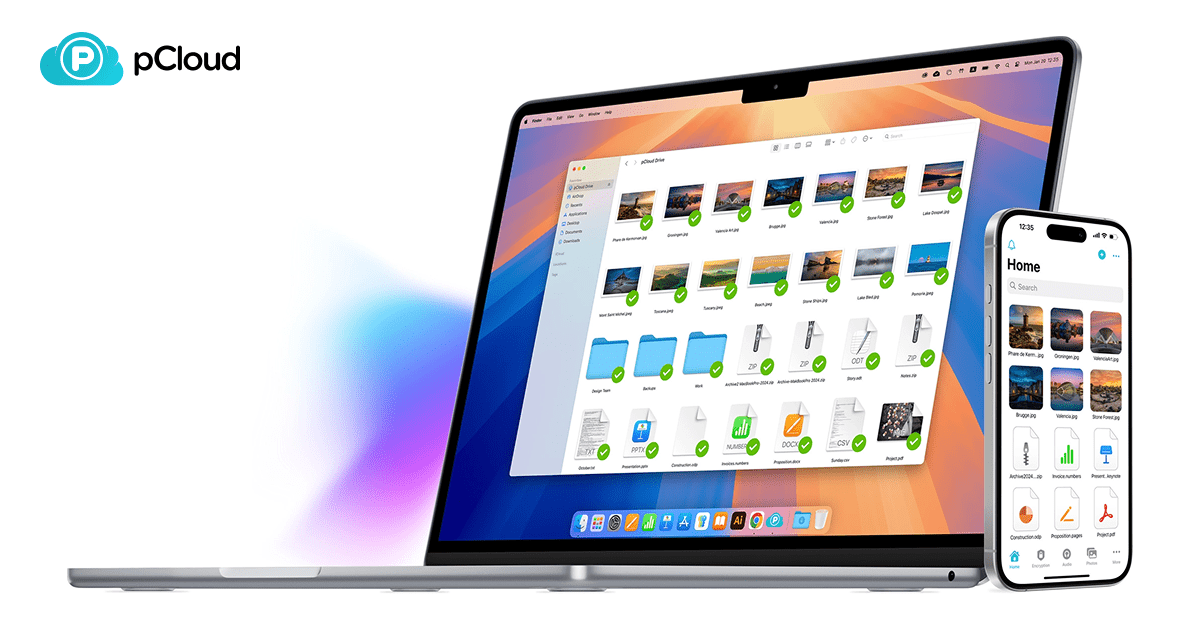
The overview
What pCloud is for
1Core Capabilitie
- Web-based file manager interface
- Drag-and-drop file upload via browser
- Folder creation and organization
- Share link generation with expiry and password protection
- File download and preview directly in browser
2Specialized Workflow
- Client-side encryption (Crypto Folder)
- File versioning and recovery history
- Public folder for direct web hosting of file
- Remote upload functionality via URL
- Lifetime storage plan option
Who it helps
Useful ways to use pCloud
A practical path
Access Web Interface and Upload File
Navigate to .com and sign in to your account dashboard. To upload, click the 'Upload' button in the top menu or simply drag-and-drop files directly into a desired folder within the web interface
External signals
Reviews & reputation
Aggregated review score
Users consistently praise pCloud for its robust client-side encryption, reliable file synchronization, and the unique lifetime storage option, which offers significant long-term value. The web interface is generally considered intuitive for file management and sharing, though some advanced users occasionally seek more granular control over sync settings. Performance is solid, and the public folder feature is a notable advantage for direct web content hosting.
Quick answers
Frequently asked questions
1How does the lifetime storage plan work, and what are the limitations?⌄
pCloud's lifetime plans offer a one-time payment for permanent access to your chosen storage tier (e.g., 500GB, 2TB). This means you pay once and own the storage space for the lifetime of your account, subject to pCloud's terms of service. There are no recurring subscription fees. The primary limitation is the fixed storage amount; upgrades to higher tiers typically require purchasing a new lifetime plan or a separate subscription.
2Is my data truly private with client-side encryption, and how does it differ from server-side encryption?⌄
Yes, with the optional Crypto Folder, your data is encrypted on your device before it's uploaded to pCloud's servers (client-side encryption). This means only you hold the encryption key, and pCloud cannot access the content of your encrypted files. This differs from standard server-side encryption, where data is encrypted on the server, and the provider typically holds the keys, potentially allowing them access under certain circumstances. Client-side encryption offers a higher level of privacy assurance.
3Can I host static website content or share large media files directly from pCloud?⌄
Yes, pCloud offers a 'Public Folder' feature that allows you to host static HTML, CSS, JavaScript, and image files directly. Any file placed in this folder gets a direct public URL, making it suitable for simple static websites, embedding images, or sharing large media files without requiring a dedicated web server. Bandwidth limits may apply based on your plan.
4What happens if I exceed my storage limit, and how is it enforced?⌄
If you exceed your allocated storage limit, pCloud will typically prevent you from uploading new files or syncing additional data until you free up space or upgrade your plan. Existing files will remain accessible, but you won't be able to add more. Enforcement is usually immediate upon reaching the limit, with clear notifications in the web interface and desktop/mobile clients.
5Does pCloud support block-level sync for faster file updates?⌄
Yes, pCloud's desktop synchronization client utilizes block-level sync. This technology detects and uploads only the changed parts (blocks) of a file, rather than re-uploading the entire file. This significantly speeds up synchronization for large files with minor modifications, reducing bandwidth usage and sync times, especially beneficial for frequently updated documents or project files.
Keep exploring