

What Is Pipedrive Used For: Features, Reviews & Alternatives
Sales CRM focused on pipeline management.
Editorially updated Oct 5, 2025
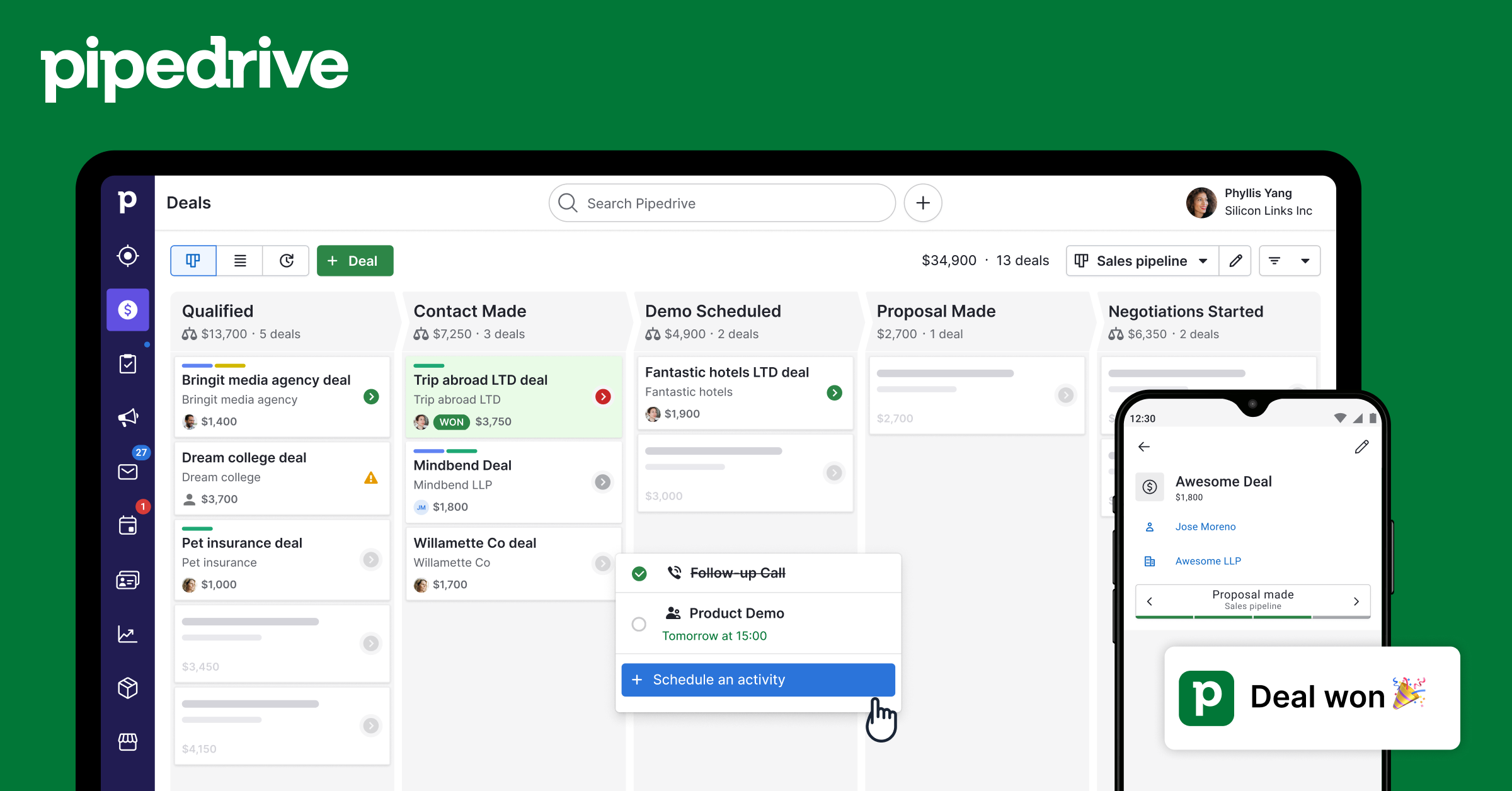
The overview
What Pipedrive is for
1Core Capabilitie
- Visual deal pipeline interface
- Activity scheduling and tracking panel
- Contact and organization record management
- Email synchronization and template library
- Customizable deal fields and propertie
2Specialized Workflow
- Lead qualification inbox
- Sales workflow automation builder
- Revenue forecasting dashboard
- Goal setting and progress monitor
- Product catalog management module
- Web visitor identification (LeadBooster add-on)
Who it helps
Useful ways to use Pipedrive
A practical path
Sign In and Navigate to Deal
Access the web application via your browser and sign in with your credentials. Once logged in, navigate to the "Deals" section from the main menu to view your active sales pipeline
External signals
Reviews & reputation
Aggregated review score
Users consistently praise Pipedrive for its intuitive visual pipeline interface, ease of adoption for sales teams, and robust activity tracking capabilities. Feedback often highlights its effectiveness in keeping sales reps focused on deal progression, though some advanced reporting customization or deep enterprise-level features are occasionally noted as areas for enhancement compared to more comprehensive CRM suites.
Quick answers
Frequently asked questions
1What are the key differences between Pipedrive's Essential, Advanced, and Professional plans?⌄
Essential provides core visual pipeline management and activity tracking. Advanced adds email sync, meeting scheduling, and basic workflow automation. Professional includes advanced reporting, sales forecasting, and team management features like goal setting and granular permissions.
2Can I import my existing sales data from another CRM or spreadsheet into Pipedrive?⌄
Yes, Pipedrive supports importing data via CSV files for deals, contacts, organizations, and products. For larger migrations or specific CRM platforms, Pipedrive offers integration options and can guide you on best practices for data transfer.
3How does Pipedrive handle data security and compliance for customer information?⌄
Pipedrive employs industry-standard security measures including data encryption in transit and at rest, regular security audits, and compliance with GDPR and CCPA. Access controls and user permissions are also granularly configurable to protect sensitive customer data.
4Is Pipedrive suitable for managing complex sales processes with multiple products or services?⌄
Pipedrive is highly adaptable. You can create multiple pipelines for different sales processes, customize deal fields to capture specific product details, and utilize the product catalog feature to manage and attach various offerings to deals, supporting varied sales methodologies.
5Does Pipedrive offer an API for custom integrations with internal systems or third-party applications?⌄
Yes, Pipedrive provides a robust API that allows developers to build custom integrations, automate data synchronization, and extend functionality with other business applications. Webhooks are also available for real-time data pushes, facilitating a connected tech stack.
Keep exploring