

What Is Poly Haven Used For: Features, Reviews & Alternatives
Free high quality 3D assets.
Editorially updated Oct 5, 2025
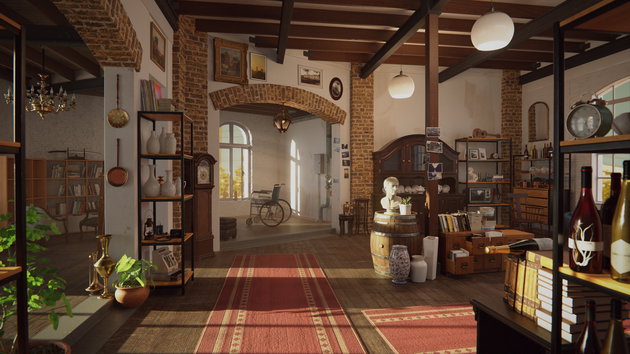
The overview
What Poly Haven is for
1Core Capabilitie
- HDRI environment map browser
- PBR texture library
- 3D model repository
- Category-based asset filtering
- Asset previewer with interactive control
2Specialized Workflow
- Resolution and format selection panel (e.g., EXR, HDR, JPG, PNG, GLTF, FBX)
- CC0 Public Domain Dedication indicator for all asset
- Blender Asset Browser add-on integration
- Direct download links for individual asset file
- Contributor submission portal
Who it helps
Useful ways to use Poly Haven
A practical path
Browse Asset Categorie
Navigate to the desired asset type by clicking 'HDRIs', 'Textures', or 'Models' from the main navigation bar. Use the search bar for specific keywords or explore categories like 'Outdoor', 'Indoor', 'Materials', or 'Objects'
External signals
Reviews & reputation
Aggregated review score
Highly regarded by the 3D community for its extensive library of high-quality, CC0-licensed assets. Users consistently praise the site's ease of use, diverse selection of HDRIs, PBR textures, and 3D models, and the invaluable contribution it makes to accessible 3D content creation. The Blender add-on is a frequently cited workflow enhancer.
Quick answers
Frequently asked questions
1What is the licensing for Poly Haven assets, and can I use them commercially?⌄
All assets on Poly Haven are released under the CC0 Public Domain Dedication. This means they are completely free to use for any purpose, commercial or non-commercial, without requiring attribution. You can modify, distribute, and use them in your projects without legal restrictions.
2What file formats are available for download, and how do I choose the right one?⌄
HDRIs are typically available in .exr (high dynamic range, preferred for lighting) and .hdr. Textures come as .jpg or .png sets with various maps (albedo, normal, roughness, displacement, etc.). 3D models are often provided in .blend (Blender native), .gltf (web-friendly, widely supported), and sometimes .fbx formats. Choose formats based on your specific 3D software and project requirements for quality and compatibility.
3Are there any tools or add-ons for integrating Poly Haven assets directly into 3D software?⌄
Yes, Poly Haven offers an official Blender Asset Browser add-on that allows users to browse, preview, and import Poly Haven assets directly within Blender, streamlining the workflow. For other DCCs (Digital Content Creation software), assets are downloaded manually and then imported using the software's native import functions.
4How often are new assets added to Poly Haven, and how can I stay updated?⌄
New assets are added regularly, typically weekly or bi-weekly, depending on community contributions and internal production schedules. You can stay updated by subscribing to their newsletter, following their social media channels, or checking the 'New Assets' section on the website.
5How can I support Poly Haven or contribute my own assets?⌄
Poly Haven is supported primarily through Patreon subscriptions and direct donations, which fund asset creation and website maintenance. If you're a 3D artist, you can also contribute your own high-quality HDRIs, textures, or models through their submission portal, helping to expand the library for the entire community.
Keep exploring