

What Is ReadyMode (XenCALL) Used For: Features, Reviews & Alternatives
All-in-one predictive dialer software.
Editorially updated Oct 25, 2025
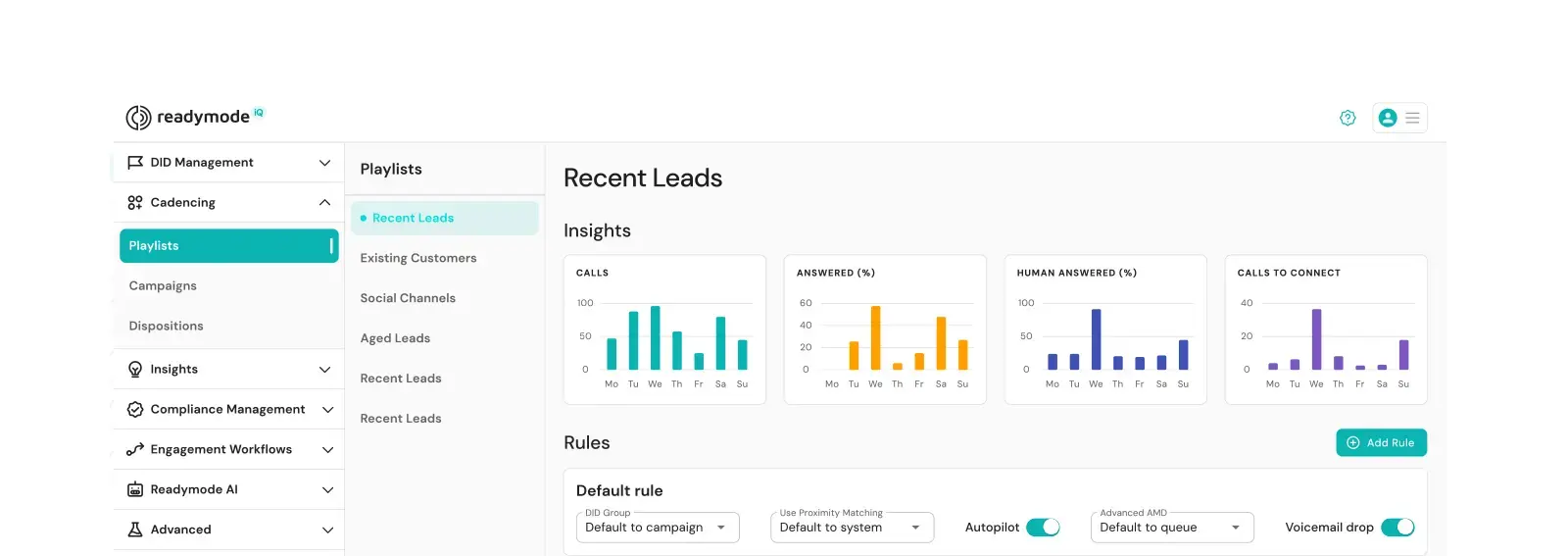
The overview
What ReadyMode (XenCALL) is for
1Core Capabilitie
- Predictive Dialing Configuration Panel
- Lead List Upload & Segmentation Interface
- Agent Call Script Builder
- Real-time Agent Status Dashboard
2Specialized Workflow
- CRM Data Synchronization Module
- Call Recording Playback & Archiving
- Campaign Performance Analytics Display
- IVR & Voicemail Drop Editor
Who it helps
Useful ways to use ReadyMode (XenCALL)
A practical path
Upload Lead Data and Configure Campaign
Log into the ReadyMode web portal, navigate to the 'Leads' section to upload your prospect list, then proceed to 'Campaigns' to define dialing rules, call disposition codes, and assign a script
External signals
Reviews & reputation
Aggregated review score
ReadyMode is highly regarded by telemarketing and sales teams for its reliable predictive dialing capabilities and comprehensive agent management features. Users frequently praise its intuitive web interface for campaign setup, real-time monitoring dashboards, and robust reporting, which are crucial for optimizing outbound operations. Some feedback points to the learning curve for advanced configurations, but overall, it's seen as a powerful tool for scaling call center productivity.
Quick answers
Frequently asked questions
1How does ReadyMode ensure compliance with telemarketing regulations like TCPA or GDPR?⌄
ReadyMode provides configurable features such as DNC list management, time-zone-aware dialing, and call recording consent options. Users are responsible for configuring these tools to align with specific regional compliance requirements.
2Can we integrate our existing CRM or lead management system with ReadyMode?⌄
Yes, ReadyMode offers a robust API and pre-built integrations with popular CRMs. You can configure data synchronization for lead import, disposition updates, and call activity logging directly from the integration panel within the web application.
3What are the typical setup times for a new outbound campaign, from lead upload to agents dialing?⌄
For a prepared lead list and pre-written script, a new campaign can typically be configured and launched within 15-30 minutes. This includes uploading leads, setting dialing parameters, and assigning agents through the web interface.
4Is there a minimum number of agent seats required to subscribe to ReadyMode?⌄
ReadyMode offers flexible pricing tiers, including options for smaller teams. While specific minimums can vary by plan, it's designed to scale from a few agents to large call centers, with details available on the pricing page or via sales consultation.
5What kind of reporting is available for agent performance and campaign ROI?⌄
The platform provides comprehensive reporting accessible via the web dashboard, covering agent metrics (talk time, dispositions, breaks), campaign performance (contact rates, conversion rates), and lead analytics. Reports can be customized and exported for ROI analysis.
Keep exploring