

What Is Samsung Pass Used For: Features, Reviews & Alternatives
Biometric authentication service.
Editorially updated Oct 25, 2025
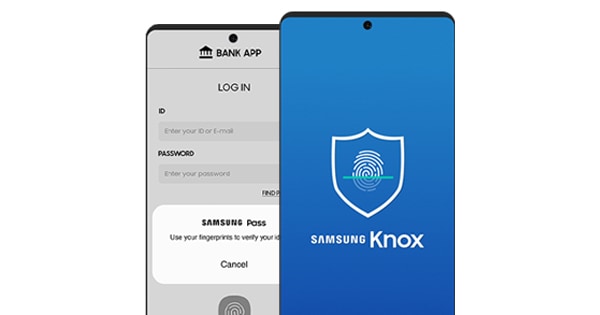
The overview
What Samsung Pass is for
1Core Capabilities
- Biometric-first authentication on supported Galaxy devices with fingerprint, face, and optional additional biometrics where available, reducing repeated manual logins
- Encrypted credential handling integrated with Samsung’s secure framework, so authentication remains tied to the device profile rather than a standalone session-only browser plugin
- Autofill and form-fill support for supported Samsung surfaces, helping operators pass through login screens faster on approved workflows
- Fallback options for cases where biometrics are unavailable, including PIN/password re-entry paths designed to keep access possible without full lockout
- Per-site and per-app save flow with explicit user confirmation before credentials are stored or re-used, supporting tighter control in sensitive operator tasks
Who it helps
Useful ways to use Samsung Pass
A practical path
Validate device and service compatibility first
Check that the Galaxy models in use are supported for Samsung Pass on the required Android versions and that the target websites/apps expose Samsung Pass-compatible login prompts.
External signals
Reviews & reputation
Aggregated review score
Samsung Pass performs best when teams prioritize clear task execution and operational repeatability and keep ownership explicit around repeatable team usage.
Quick answers
Frequently asked questions
1Does Samsung Pass replace enterprise SSO or MFA for everything?⌄
Usually not. It is a strong convenience and security layer for supported sign-in points, but it should be treated as part of a broader identity design. Treat MFA requirements as separate decisions unless your security policy explicitly maps them together.
2Can it be used on non-Samsung devices?⌄
In most deployments, no. Availability is Samsung-device centric, and compatibility varies by model and region. Validate before procurement by testing the exact hardware models your team uses.
3What happens when fingerprints are unavailable (injury, glove use, broken sensor)?⌄
Fallback paths are required in operations because biometrics can fail. Keep an approved alternative login method enabled and define who can authorize temporary exceptions during live use.
4How is access revoked when a staff member changes role?⌄
Use the existing Samsung and account-management process to remove saved credentials, unpair services, and enforce re-enrollment where needed. This is the main control point for shared-device or high-turnover teams.
Keep exploring