

What Is Smart Call Used For: Features, Reviews & Alternatives
Identifies spam and fraud calls.
Editorially updated Oct 25, 2025
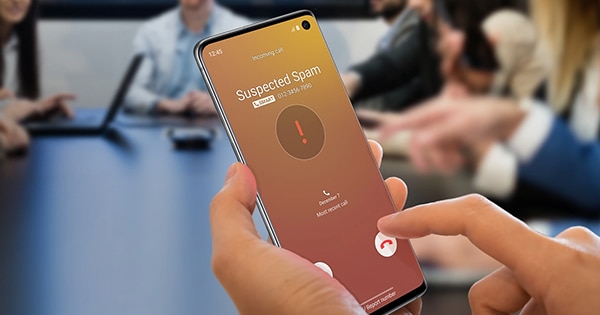
The overview
What Smart Call is for
1Core Capabilities
- Real-time warning labels on incoming calls that appear to be spam or scam attempts
- One-tap block and report actions from recent call history in the Galaxy Phone interface
- Caller context support for unknown numbers, helping separate likely robocalls from normal missed calls
- Repeat-use filtering behavior that can reduce recurring nuisance calls after manual blocking
Who it helps
Useful ways to use Smart Call
A practical path
Turn on Smart Call in the Galaxy Phone settings
Open the Samsung Phone app settings and enable Smart Call options available in your region and carrier setup.
External signals
Reviews & reputation
Aggregated review score
Confidence in Smart Call improves once teams validate initial setup and permission alignment against real production paths and monitor drift over the first rollout cycle.
Quick answers
Frequently asked questions
1Does Smart Call stop every scam call?⌄
No. It should be treated as a screening aid, not a complete shield, since fraud tactics and number spoofing change frequently.
2Will it work the same on every Samsung phone?⌄
Behavior is usually best on supported Galaxy Phone app versions, but exact options can differ by model, software version, carrier, and country.
3Can I still receive legitimate calls from unknown numbers?⌄
Yes. You can keep unknown calls enabled and use the warning labels as a decision prompt rather than auto-blocking everything.
4What should I do if a real caller gets flagged as spam?⌄
Answer with caution if expected, or call back through an official number. Then save the contact and avoid blocking that number unless abuse continues.
Keep exploring