

What Is Synthesia Used For: Features, Reviews & Alternatives
Video Generation website tool for focused setup, analysis, and daily execution.
Editorially updated Oct 5, 2025
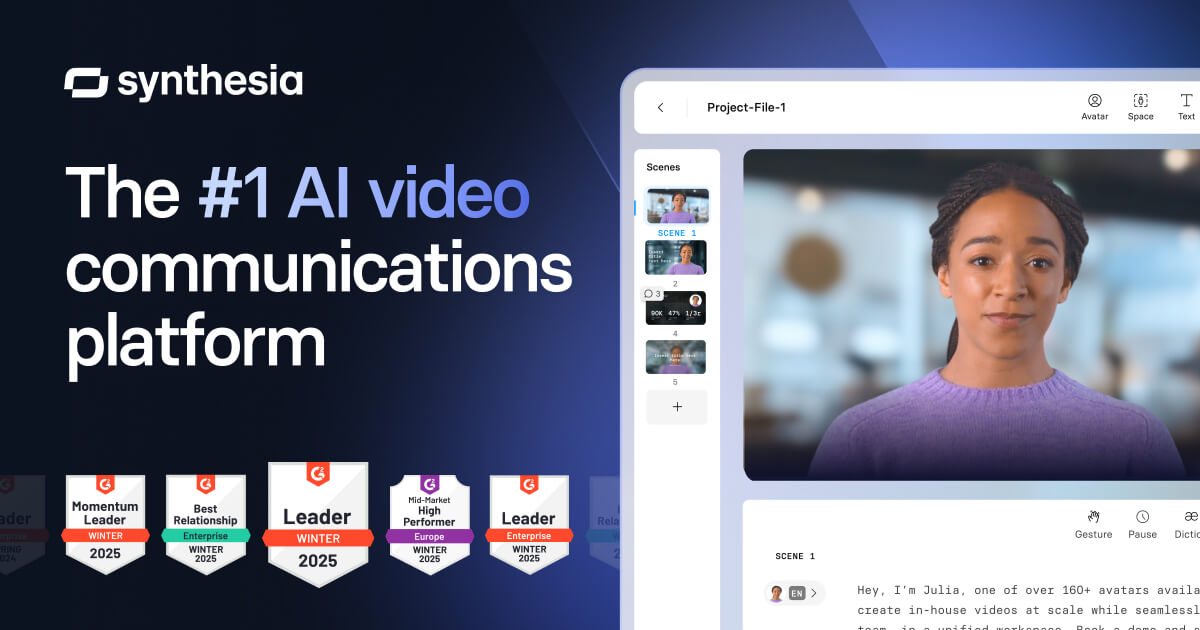
The overview
What Synthesia is for
1Core Capabilities
- Turns structured scripts into scene-based videos with presenter narration timing, useful for standardized product explainers
- Supports multilingual voice options so the same asset logic can be reused for localized user cohorts
- Provides AI captions and subtitle generation to improve accessibility and faster platform publishing
- Offers timeline-level editing after generation, including pacing tweaks, visual text placement, and scene-level replacements
- Handles iterative versioning for short-form content so teams can refresh only changed segments instead of rebuilding full videos
Who it helps
Useful ways to use Synthesia
A practical path
Write to scene granularity
Draft the script in short scenes (hook, problem, steps, proof, close) before upload. This gives you stable anchors for timing edits and easier localization.
External signals
Reviews & reputation
Aggregated review score
Synthesia is a practical option in Video Generation with balanced capabilities and clear day-to-day value.
Quick answers
Frequently asked questions
1Is Synthesia a good fit if my team needs to produce a high volume of short product videos weekly?⌄
Yes, when your content repeats the same structure and your team values speed plus predictable style. It is strongest in repeatable explainers and updates rather than one-off cinematic concepts.
2When should I avoid using Synthesia for video production?⌄
Avoid it when your brief requires live-action footage, custom cinematic camera work, or spontaneous improvisational scenes. It is best for controlled, script-driven delivery, not raw reality filming.
3How reliable is quality when rendering many localized versions from one script source?⌄
Expect better reliability when source scripts are tightly standardized and terminology is controlled. The more you reuse scene layouts and terminology dictionaries, the less drift you see across languages and render batches.
4Do teams with little video production experience face high setup friction?⌄
Teams usually need a short adoption window to agree on templates and naming conventions. If documentation and internal editing standards are clear, setup cost stays manageable; undefined standards will raise iteration time.
Keep exploring