

What Is Ulysses Used For: Features, Reviews & Alternatives
Powerful writing environment for Apple.
Editorially updated Oct 25, 2025
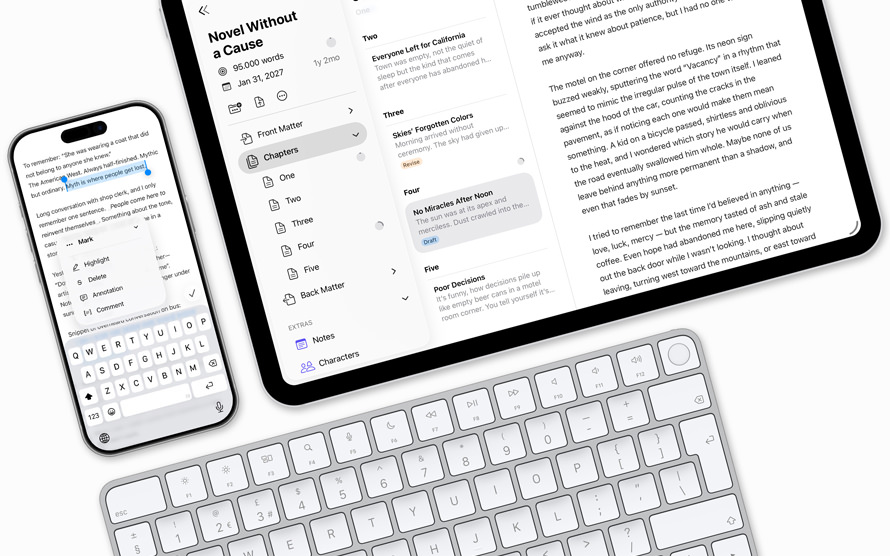
The overview
What Ulysses is for
1Core Capabilities
- Distraction-free plain-text editor with minimal markup for focused drafting
- Library structure for organizing sheets, groups, and larger writing projects
- Direct export to formats such as DOCX, PDF, HTML, ePub, and plain text
- Sync across Mac, iPad, and iPhone for writing on different devices
- Password protection for keeping private drafts inside the app
- Built-in Apple Writing Tools support for selected text on supported devices
Who it helps
Useful ways to use Ulysses
A practical path
Start a sheet
Create a new sheet for the piece you are writing, then keep the draft in plain text so the structure stays easy to edit.
External signals
Reviews & reputation
Aggregated review score
Ulysses performs best when teams prioritize clear task execution and operational repeatability and keep ownership explicit around repeatable team usage.
Quick answers
Frequently asked questions
1Is Ulysses better for short notes or long documents?⌄
It is strongest for long-form text, but it can handle short notes if you want them stored in the same writing library.
2Can I use it across Apple devices?⌄
Yes. Ulysses is available on Mac, iPad, and iPhone, and the app is designed around moving drafts between them.
3Does it support exporting to common formats?⌄
Yes. It can export to formats such as DOCX, PDF, HTML, ePub, and plain text.
4Is it meant for plain text or rich formatting?⌄
It is centered on plain text with minimal markup, which keeps the editing surface focused and the export process predictable.
Keep exploring