

What Is Wix Templates Used For: Features, Reviews & Alternatives
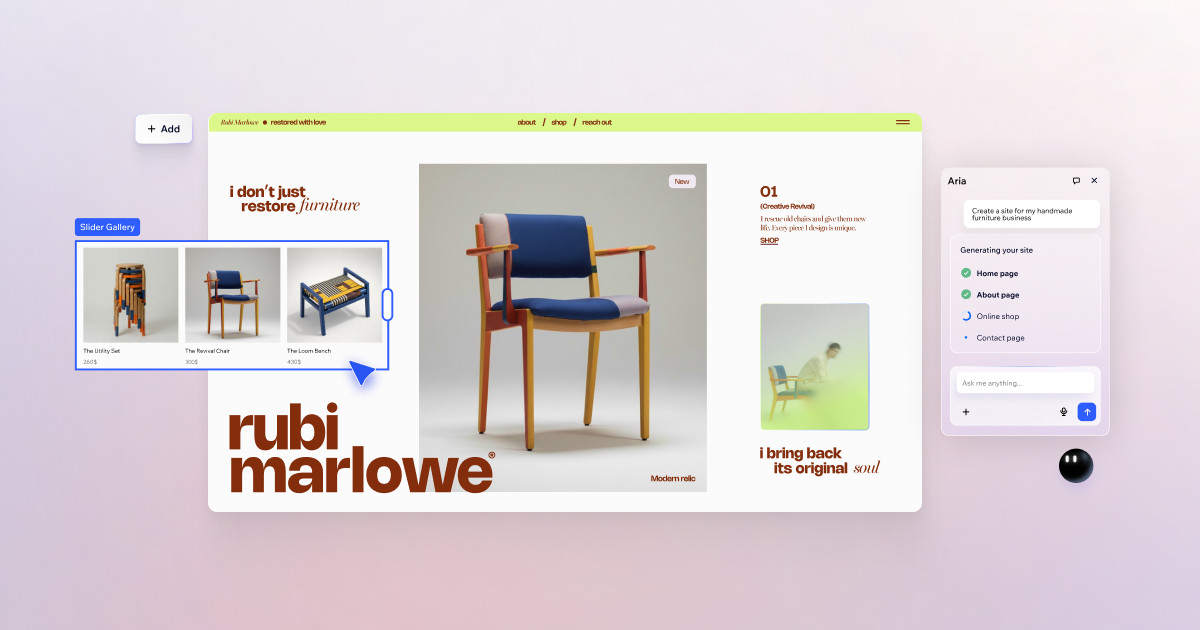
Professionally designed website templates offered by the Wix website builder.
Editorially updated Oct 5, 2025
The overview
What Wix Templates is for
1Core Capabilities
- Industry-focused website templates for common structures like landing pages, service pages, portfolio galleries, product catalogs, and blog collections, with pre-configured hierarchy and spacing
- Template variants tuned for different intents (lead capture, ecommerce showcase, booking-focused flows, or SaaS-style product pages) so you can match an idea to a page shape in minutes
- Built-in responsive behavior controls across breakpoints, including section hiding, column stacking, typography scaling, and image density adjustments for stable mobile conversion
- Strong compatibility with core Wix website surfaces such as Stores, Bookings, SEO settings, forms, and account-level membership tools, reducing custom assembly work
- Clear visual style systems for typography, color, and button logic that stay reusable across duplicated pages to keep brand delivery consistent across a website family
Who it helps
Useful ways to use Wix Templates
A practical path
Match template to page intent
Start from the section architecture first: landing, pricing, services, gallery, and contact layouts should reflect your primary user path before visual tuning.
External signals
Reviews & reputation
Aggregated review score
Wix Templates performs best when teams prioritize technique references, project examples, and creator skill growth and keep ownership explicit around practice-to-output feedback loop.
Quick answers
Frequently asked questions
1Are Wix Templates only for visual edits, or can they support business features too?⌄
Most templates are built to support core Wix features like bookings, forms, products, and basic SEO setup. For deep custom workflows (for example, custom user roles or advanced API-driven logic), you may still need Wix Velo or external integrations.
2Can I use one template for repeated launches without starting over each time?⌄
Usually yes. A stable duplicate-and-edit flow works for multiple launches, but keep branch-level versions if your teams share a style baseline so one client edit does not accidentally change every site instance.
3What causes template edits to break after republish?⌄
The highest-risk points are locked blocks, heavy custom CSS/embeds, and large image swaps on sections that are tightly constrained. Duplicate first, edit on a copy, then republish and verify responsive rendering before replacing the live page.
4Does template quality degrade on mobile and performance?⌄
Template quality depends on implementation choices: dense media, embedded widgets, and unused section complexity can slow page weight. Optimized images and trimmed third-party scripts are usually enough to keep performance at a reliable level.
Keep exploring