

What Is Amazon Fresh Used For: Features, Reviews & Alternatives
Grocery delivery service by Amazon.
Editorially updated Oct 25, 2025
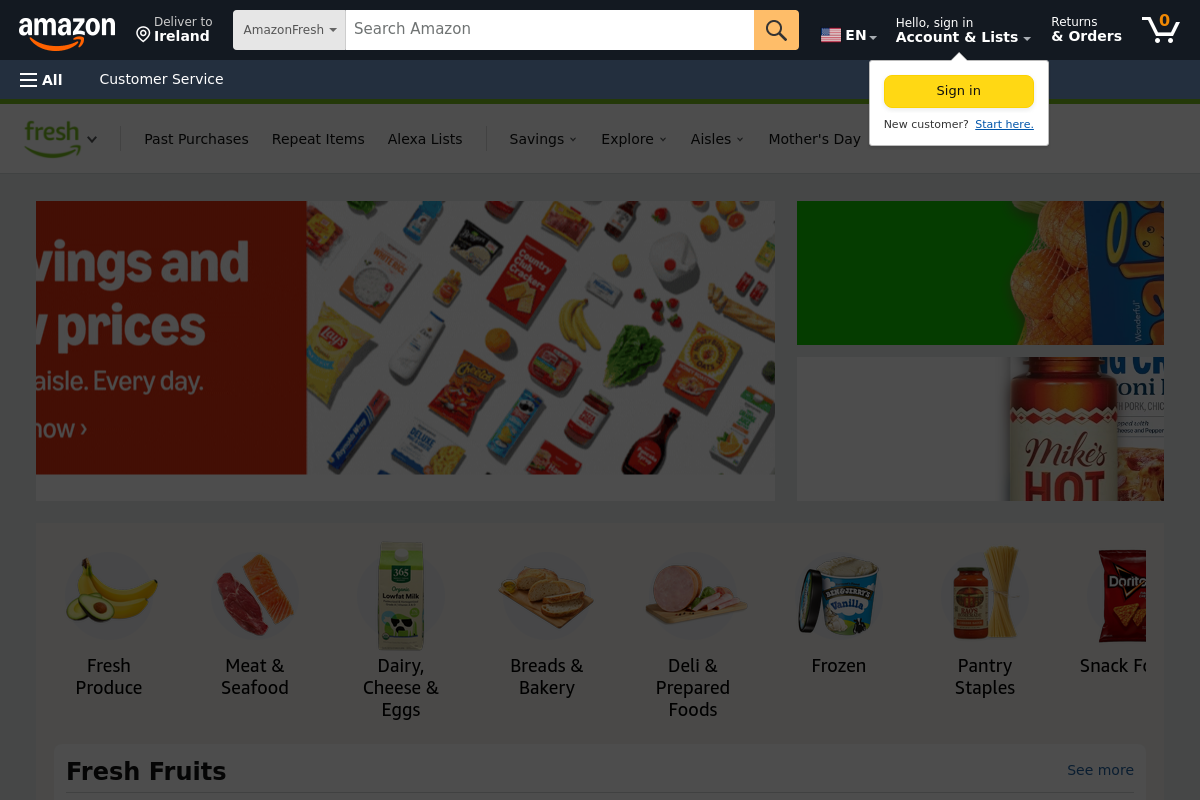
The overview
What Amazon Fresh is for
1Core Capabilitie
- Product search bar with auto-suggest
- Category and sub-category browsing interface
- Shopping cart management panel
- Delivery slot calendar selector
- Order history and re-order function
2Specialized Workflow
- Dietary and lifestyle filter panel (e.g., organic, gluten-free)
- Subscribe & Save enrollment for recurring pantry item
- Recipe ingredient list integration (add all to cart)
- Digital coupon and promotion application
- Prime member exclusive deals display
Who it helps
Useful ways to use Amazon Fresh
A practical path
Set Delivery Location and Browse
Navigate to the website. If prompted, enter your delivery address or zip code to confirm service availability. Begin browsing categories like 'Produce' or 'Dairy & Cheese', or use the search bar to find specific items like 'organic milk'
External signals
Reviews & reputation
Aggregated review score
Users appreciate the convenience of home delivery and the broad product selection, especially for Prime members. Common feedback points to occasional issues with delivery slot availability during peak times, product freshness consistency, and the accuracy of substitutions. The interface is generally considered intuitive for browsing and ordering.
Quick answers
Frequently asked questions
1What are the delivery fees and minimum order requirements for Amazon Fresh?⌄
Delivery fees for Amazon Fresh vary based on your order total and Prime membership status. Prime members typically receive free delivery on orders over a certain threshold (e.g., $100), while orders below that may incur a small service fee. Non-Prime members may have different fee structures or minimums. Specific details are displayed during checkout based on your location and cart value.
2Can I modify or cancel an Amazon Fresh order after it's been placed?⌄
Yes, you can usually modify or cancel an Amazon Fresh order within a specific window after placement, typically up until the order begins processing for delivery. To do so, navigate to 'Your Orders' on the Amazon website, find your Fresh order, and look for 'Change Order' or 'Cancel Order' options. The exact cutoff time is displayed on your order details page.
3What is the policy for damaged, missing, or spoiled items?⌄
If you receive damaged, missing, or spoiled items, Amazon Fresh offers a refund or replacement policy. You should contact customer service through the website or app within a specified timeframe (e.g., 7 days for most perishables) to report the issue. Photos of damaged items are often helpful for processing claims quickly.
4Does Amazon Fresh accept SNAP EBT benefits?⌄
Yes, Amazon Fresh accepts SNAP EBT for eligible grocery purchases in many regions across the United States. To use SNAP EBT, you'll need to add your EBT card as a payment method in your Amazon account. Look for the 'Add EBT card' option in your payment settings. Certain items, like hot prepared foods or non-food items, are not eligible for SNAP EBT.
5How does Amazon Fresh handle substitutions if an item is out of stock?⌄
During the checkout process, you'll typically have the option to specify your preference for substitutions. You can choose to allow substitutions for similar items, decline all substitutions, or allow substitutions for specific items. If you allow substitutions, a shopper will select a comparable item if your original choice is unavailable. You will be charged for the substituted item's price.
Keep exploring